

Vention 2-Port HDMI Bi-Direction Switcher Silver(AFUH0)
AFUH0 Vention 2-Port HDMI Bi-Direction Switcher Silver
Key Features;
- Number of Ports: 2 HDMI input ports and 1 HDMI output port.
- Bi-Directional Switching: Allows you to select which input source gets transmitted to the output device or switch a single HDMI source between two different displays.
- HDMI Version: Supports a specific HDMI version (e.g., HDMI 1.4 or HDMI 2.0), which determines the supported resolutions and features.
- Supported Resolutions: Commonly supports resolutions up to 4K Ultra HD (3840×2160) at 60Hz, but it may vary depending on the specific model.
- Audio Formats: Supports various audio formats, including standard stereo audio, Dolby Digital, DTS, and more.
KSh1,650.00 KSh2,000.00 EX-VAT
Vention 2-Port HDMI Bi-Direction Switcher Silver (AFUH0)
The Vention 2-Port HDMI Bi-Direction Switcher (AFUH0) serves dual purposes: switching between two HDMI sources on one display, or sharing one HDMI source across two displays. This silver aluminum switcher helps students connect laptops and gaming consoles to shared monitors, while professionals can alternate between work computers and personal devices. The manual toggle design requires no external power for most applications, making it ideal for portable setups.
Key Features & Benefits
- Bi-Directional Flexibility: Use as either a 2-input-1-output switcher for multiple devices on one screen, or 1-input-2-output splitter for displaying one device on two monitors (not simultaneously)
- Manual Push-Button Control: Switch sources instantly with a tactile button press, eliminating remote controls to lose and ensuring switches work even during power outages
- 4K Resolution Support: Maintain sharp image quality at resolutions up to 4K@30Hz, preserving text clarity for spreadsheets and presentations alongside vibrant colors for media content
- Plug-and-Play Operation: Start using immediately without drivers, software installation, or configuration menus—simply connect cables and press the button to switch
- Aluminum Alloy Construction: The durable metal housing dissipates heat effectively during extended use and survives drops or bumps better than plastic alternatives
Technical Specifications
Video Performance
- Maximum Resolution: 4K@30Hz (3840×2160)
- Supported Resolutions: 1080p@60Hz, 1080i, 720p, 576p, 480p
- HDMI Standard: HDMI 1.4
- Color Depth: 24-bit/36-bit Deep Color
- HDCP Compliance: HDCP 1.4 (protects copyrighted content)
Connectivity
- Port Configuration: 3× HDMI female ports (bi-directional)
- Maximum Cable Length: 5 meters input + 5 meters output (10 meters total)
- Power Requirement: No external power needed for most devices
- Optional Power: Micro-USB port for long cable runs or 4K content
Physical Specifications
- Model Number: AFUH0
- Color: Silver
- Material: Aluminum alloy housing
- Dimensions: Approximately 55mm × 55mm × 13mm
- Weight: 45g
- Cable Type: No attached cables (uses standard HDMI cables)
Control & Indicators
- Switching Method: Manual push button on top panel
- LED Indicators: 2 LEDs show active port selection
- Button Type: Mechanical switch with tactile feedback
Environmental
- Operating Temperature: -5°C to 55°C (23°F to 131°F)
- Storage Temperature: -20°C to 70°C (-4°F to 158°F)
- Humidity: 5% to 90% relative humidity
Use Cases & Applications
For Students
Dorm rooms with single-monitor setups benefit from switching between laptop and gaming console without cable swapping. Connect your MacBook for essay writing and PlayStation for evening gaming, then toggle between them with one button press. The compact silver design matches modern aluminum laptops and minimalist desk aesthetics.
Students presenting in classrooms can use the bi-directional feature to test presentations on two different displays before class starts. Ensure your slides appear correctly on both your laptop screen and the classroom projector by switching between preview modes.
For Business Professionals
Home offices often require switching between work-issued laptops and personal computers on the same monitor. The Vention AFUH0 eliminates daily cable unplugging that wears out HDMI ports. Toggle between devices in seconds when transitioning from work hours to personal projects.
Conference rooms with multiple presenters can connect two laptops simultaneously, switching presenters without troubleshooting connection issues. The manual button provides reliable switching even when network-connected smart switches fail during critical presentations.
General Applications
- Dual Computer Setups: Share one monitor between desktop gaming PC and work laptop without cable management chaos
- Console Gaming: Switch between two gaming consoles (PlayStation and Xbox) on a single TV or gaming monitor
- Media Centers: Toggle between cable box and streaming device, or send one source to either living room TV or bedroom display
- Testing Displays: Connect one laptop to two monitors alternately for troubleshooting display issues or comparing screen quality
- Photography Editing: Preview edited photos on two different monitors with varying color profiles to check consistency
- Video Production: Switch one camera or video source between recording monitor and client preview display
Mode Selection: The switcher operates in one mode at a time—either 2-to-1 or 1-to-2. Configure the mode by connecting cables to the appropriate ports. For 2-to-1 mode (two sources, one display), connect input devices to ports A and B, then connect your display to port C. For 1-to-2 mode (one source, two displays), connect your source to port C and displays to ports A and B.
Important Limitations: When used in 1-to-2 mode, the switcher displays content on one screen at a time, not both simultaneously. This differs from HDMI splitters that mirror content across multiple displays. Press the button to toggle which display receives the signal.
The Vention switcher handles standard HDMI signals without processing or upscaling. Both connected devices receive identical video output, meaning 4K sources send 4K to both displays (though only one displays at a time). If your source device supports multiple resolution outputs, you’ll need to configure it for the lowest common resolution between your displays.
Power Considerations: Most modern HDMI devices provide enough power through the HDMI cable to operate the switcher. However, connecting devices with long cable runs (over 5 meters total), using 4K resolution, or experiencing signal dropouts may require connecting the optional Micro-USB power input. A standard phone charger (5V/1A) provides adequate power.
The aluminum construction helps with heat dissipation during 4K playback, though the switcher remains cool during typical 1080p use. The silver finish resists fingerprints better than glossy black alternatives and matches Apple products, Dell XPS laptops, and modern monitor bezels.
Compatibility Notes: Works with any HDMI-enabled device regardless of brand or operating system. Connect laptops running Windows, macOS, or Linux alongside game consoles, Blu-ray players, streaming sticks, and set-top boxes. The switcher passes through audio via HDMI, supporting multi-channel surround sound formats when your display or receiver supports them.
For business users, note that some corporate security policies prevent HDMI connections to unauthorized displays. The Vention AFUH0 maintains HDCP encryption throughout the signal path, satisfying enterprise display security requirements while enabling convenient device switching.
Based on 0 reviews
Be the first to review “Vention 2-Port HDMI Bi-Direction Switcher Silver(AFUH0)”
Related products
-
Vention Accessories, Vention HDMI
Vention HDMI Cable 15M Black – AAGBN
Vention HDMI Cable 15M Black – AAGBN
- Cable Length: 15 meters
- Color: Black
- Connector Type: HDMI (male to male)
- Resolution Support: Up to 4K UHD at 30Hz (supports 1080p, 1440p, and 4K resolutions)
- Bandwidth: 10.2 Gbps
- Connector Material: Gold-plated connectors for enhanced signal transfer and corrosion resistance
- Cable Construction: Nylon braided jacket for durability and protection against physical damage
- Audio Return Channel (ARC): Supports ARC functionality for easier audio management between TV and external audio devices
- Backward Compatibility: Compatible with HDMI 1.4 and HDMI 2.0 devices
- Signal Transfer: High-quality transmission with minimal signal loss
- Supports: Ethernet, 3D video, and deep color (12-bit)
- Certifications: Certified for High Speed HDMI
SKU: n/a -
Vention Accessories, Vention HDMI
Vention HDMI Cable 2M Meter
Vention HDMI Cable 2M Meter Black AACBH.
Key Features:
- Color: Black
- Widely Compatible:The HDMI cable is ideal for all HDMI devices,like Blu-Ray player,Roku,PS3,PS4,Xbox One,Xbox 360,Nintendo Wii,HDTV,laptop,monitor,or projector.
- Important Note:0.75m-5m,support 4K at 60Hz,bandwidth up to 18Gbps;8m-10m
- Support 4K at 30Hz,bandwidth up to 10.2Gbps;15m cable support 1080P
SKU: n/a -
Vention Accessories, Vention HDMI
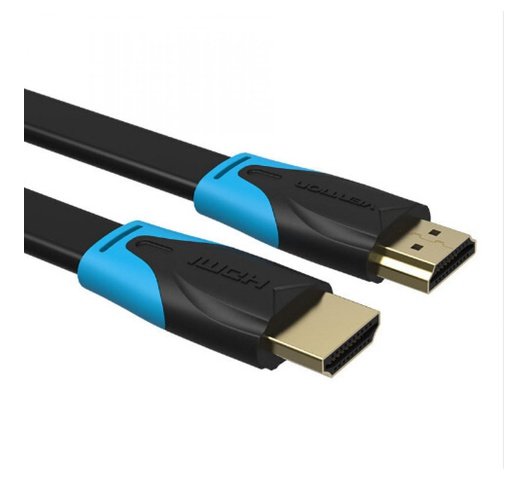
Vention Flat HDMI Cable 5M Black
Vention Flat HDMI Cable 5M Black
Key features;
- Type : Cables
- Compatible with : Computers – PCs
- Brand : Vention
- Size : 5 Meter
- HDMI A Male to A Male Cable: Supports Ethernet, 3D, 4K video and Audio Return Channel (ARC)
- Connects Blu-ray players, Apple TV, PS4, PS3, Xbox One, Xbox 360, computers and other HDMI-enabled devices to TVs, displays, A/V receivers and more
SKU: n/a -
Vention Accessories, Vention HDMI
Vention 1 In 2 Out HDMI Splitter Gold
Vention 1 In 2 Out HDMI Splitter Gold
- Product Name: Vention 1 IN 2 OUT HDMI Splitter
- Input: 1 HDMI input port
- Outputs: 2 HDMI output ports
- Resolution: Supports various HDMI resolutions, including Full HD 1080p, 4K, and higher resolutions (depending on the specific model)
- Audio Support: Transmits audio signals along with the video
- HDMI Version: Supports HDMI 1.4 or HDMI 2.0 (depending on the specific model)
- HDCP Compatibility: Supports HDCP (High-bandwidth Digital Content Protection) for encrypted content playback (HDCP version depends on the specific model)
SKU: n/a -
Vention Accessories, Vention HDMI
Vention 5 Meter HDMI Cable Black-AACBJ
Vention 5 Meter HDMI Cable Black-AACBJ
key Features:
- Color: Black
- Widely Compatible:The HDMI cable is ideal for all HDMI devices,like Blu-Ray player,Roku,PS3,PS4,Xbox One,Xbox 360,Nintendo Wii,HDTV,laptop,monitor,or projector.
- Important Note:0.75m-5m,support 4K at 60Hz,bandwidth up to 18Gbps;8m-10m
- Support 4K at 30Hz,bandwidth up to 10.2Gbps;15m cable support 1080P
SKU: n/a



There are no reviews yet.