

Vention HDMI Male to DVI(24+5) Female Adapter Black(ECCB0 )
KSh1,200.00 KSh1,300.00 EX-VAT
Vention HDMI Male to DVI(24+5) Female Adapter Black (ECCB0)
The Vention ECCB0 is an HDMI male to DVI(24+5) female adapter that enables connections between HDMI sources and DVI displays. This compact adapter allows students to connect modern HDMI-equipped laptops to older DVI monitors in computer labs and dorm rooms, while business professionals can link HDMI devices to legacy DVI displays in offices and conference rooms. The DVI-I (24+5) configuration supports both digital and analog signals for broad compatibility.
Key Features & Benefits
- HDMI to DVI-I Connection: Converts HDMI output to DVI(24+5) format, allowing modern laptops, gaming consoles, and media devices to connect to older DVI monitors without replacing functional displays.
- DVI-I (24+5) Configuration: Supports both DVI-D digital and DVI-A analog signals through the 24+5 pin layout, providing compatibility with various DVI display types and equipment.
- Bi-Directional Capability: Works in both directions – HDMI source to DVI display, or DVI source to HDMI display, offering flexible connectivity for mixed equipment environments.
- Compact Adapter Design: Small form factor connects directly to cables without adding significant bulk, making it easy to carry in laptop bags for on-the-go connectivity.
- Gold-Plated Contacts: Provides corrosion-resistant connections that maintain signal quality through repeated use in professional and educational environments.
Technical Specifications
Physical Characteristics
- Input Connector: HDMI Type-A Male (19-pin)
- Output Connector: DVI-I Female (24+5 pin)
- Form Factor: Compact adapter/dongle
- Housing Material: ABS plastic construction
- Color: Black
- Weight: Lightweight (approximately 15-25g)
- Dimensions: Compact profile for minimal cable strain
Pin Configuration
- DVI Type: DVI-I (Integrated – supports both digital and analog)
- Pin Layout: 24+5 configuration
- Digital Pins: 24 pins for DVI-D digital signal
- Analog Pins: 5 additional pins for DVI-A analog signal
- Compatibility: Works with DVI-D, DVI-I equipped displays
Video Performance
- Maximum Resolution: 1920×1080 @ 60Hz (Full HD 1080p)
- Supported Resolutions: 1920×1200, 1680×1050, 1600×1200, 1280×1024, 1024×768
- Signal Type: Digital video (DVI-D) transmission
- Color Depth: 24-bit true color support
- Refresh Rates: 60Hz standard
Signal Compatibility
- HDMI to DVI: Digital video signal conversion (passive)
- DVI to HDMI: Reverse direction supported
- Signal Type: Digital visual interface compatible with HDMI
- Protocol: TMDS (Transition Minimized Differential Signaling)
Connector Features
- Contact Plating: Gold-plated pins for optimal conductivity
- DVI Screws: Thumbscrews for secure display connection
- HDMI Connector: Standard Type-A male
- Build Quality: Molded construction for durability
Compatibility
- HDMI Sources: Laptops, desktop computers, gaming consoles (PS4/PS5, Xbox), Blu-ray players, streaming devices, cameras, tablets with HDMI
- DVI Displays: Computer monitors, older LCD displays, projectors with DVI input, KVM switches
- Operating Systems: Hardware-level compatibility (Windows, macOS, Linux)
- Bi-Directional: Works HDMI-to-DVI or DVI-to-HDMI
Important Limitations
- Audio: Does NOT carry audio (DVI does not support audio transmission)
- Separate Audio: Requires 3.5mm audio cable or separate audio connection for sound
- HDCP: Basic HDCP support (copy protection compatibility may vary)
- Analog Support: While connector is DVI-I (24+5), adapter primarily functions for digital signals
Cable Requirements
- DVI Cable: DVI cable needed to connect adapter to display (sold separately)
- HDMI Cable: For reverse direction use (DVI source to HDMI display)
- Audio Cable: 3.5mm cable required for audio (not included)
Use Cases & Applications
For Students The Vention ECCB0 adapter allows students to connect modern HDMI-equipped laptops to older DVI monitors in university computer labs and library study rooms for extended workspace. Students living in dorm rooms can connect gaming consoles with HDMI outputs to existing DVI monitors without purchasing new displays. The compact adapter fits easily in backpacks alongside other accessories for connecting personal laptops to various display equipment across campus facilities. Computer science students working with mixed generations of hardware use the adapter to connect modern development machines to legacy DVI displays in lab environments.
For Business Use Business professionals connect HDMI-equipped laptops to existing DVI monitors in offices during equipment transition periods, avoiding premature display replacement costs. IT departments use the adapter to extend the operational life of functional DVI monitors while transitioning to HDMI-equipped computers and workstations. Conference rooms with older DVI projectors accommodate modern HDMI laptops from presenters without requiring equipment upgrades. Small businesses maximize return on investment by connecting new HDMI computers to existing DVI display infrastructure. Remote workers bring the adapter when working from client offices or coworking spaces with uncertain display connectivity.
Additional Applications Home office workers connect HDMI laptops to older but functional DVI monitors for dual-screen productivity setups without monitor replacement expenses. Gamers connect modern HDMI gaming consoles and PCs to older DVI gaming monitors that still provide excellent performance and response times. Content creators use the adapter to connect HDMI-equipped cameras and recording devices to DVI monitors for real-time preview during production. Graphic designers and video editors connect laptops to secondary DVI displays for reference material and tool palettes during creative work. Reverse direction use allows connecting older desktop computers with DVI graphics cards to modern HDMI monitors and TVs, extending PC usability. Digital signage installations connect HDMI media players to existing DVI commercial displays during gradual technology upgrades. Educational institutions equip media carts with adapters to support various faculty devices connecting to classroom display equipment. Healthcare facilities connect newer HDMI medical equipment to existing DVI displays in examination rooms and diagnostic areas. Security monitoring setups connect HDMI-equipped computers to older DVI monitoring displays in control rooms. Industrial facilities connect modern HDMI control computers to legacy DVI operator displays without disrupting production workflows. The bi-directional capability proves valuable in mixed environments where some computers have HDMI while others have DVI, and displays similarly vary. Libraries and public computing spaces maintain adapter availability for patrons connecting personal HDMI devices to public DVI monitors. Photographers connect HDMI cameras to older DVI studio monitors for tethered shooting sessions. Music production studios connect HDMI laptops to existing DVI displays for DAW interfaces and plugin controls. The adapter’s primary limitation – lack of audio transmission – requires users to remember separate audio connections when sound is necessary, making it ideal for computer monitor connections where display speakers aren’t typically used, but less convenient for TV and projector connections where integrated audio is expected.
Based on 0 reviews
Be the first to review “Vention HDMI Male to DVI(24+5) Female Adapter Black(ECCB0 )”
Related products
-
Vention Accessories, Vention HDMI
Vention HDMI Cable 10M Black
Vention HDMI Cable 10M Black
- Model: VAA-B02-L1000
- Cable Type: HDMI
- Length: 10 meters (approximately 32.8 feet)
- Color: Typically black
- Connector Type: Standard HDMI connectors
- Flat Cable Design: Flat cable design can make it easier to manage and route cables, especially over long distances
- Resolution Support: Supports a range of resolutions, including Full HD (1080p) and possibly 4K depending on the cable version and device compatibility
- Refresh Rate: Typically supports high refresh rates for smooth video playback and gaming
- Audio Support: Typically supports both audio and video transmission
SKU: n/a -
-
Vention Accessories, Vention USB
Vention USB-C Multi-Functional 5 in 1 Docking Station
Vention USB-C Multi-Functional 5 in 1 Docking Station – VEN TGDHB
Key features;
- Model: VEN TGDHB
- Brand: Vention
- Type: USB-C Multi-Functional 5-in-1 Docking Station
- SD/MicroSD Card Slots: SD and MicroSD card readers for transferring data from memory cards
- Compatibility: USB-C devices, including laptops, tablets, and smartphones with compatible USB-C ports
- Power Delivery: Varies by model, check specific product details for supported charging rates
SKU: n/a -
Vention Accessories, Vention HDMI
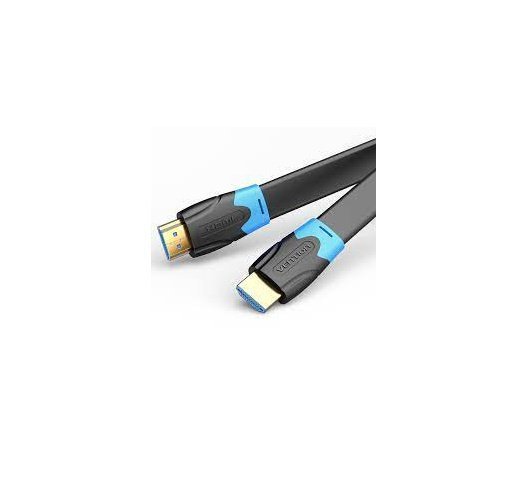
VENTION FLAT HDMI CABLE 2M BLACK
VENTION FLAT HDMI CABLE 2M BLACK
Key Features;
- High-Speed HDMI 2.0 Cable
- Mirror & Extended Mode
- Long-Last HDMI 2.0 Cable
- Connector Type: HDMI Male A
- Gold plated connectors
- Shield Anti-interference
- PVC body: resistance to bending
SKU: n/a -
Vention Accessories, Vention USB
Vention Multi-function USB-C to HDMI/USB-C Docking Station 0.15m
-8% Vention Accessories, Vention USB
Vention Multi-function USB-C to HDMI/USB-C Docking Station 0.15m
Multi-function USB-C to HDMI/USB-C Docking Station 0.15m
Key features;
- Brand: Vention
- Name: Multi-function USB-C to HDMI+USB-C Gen
- 1+USB3.0+USB2.0*2+RJ45+SD+TF+PD Docking Station Mirrored Surface Type
- Model: TFHHB
- Interface Technics: Nickel-plated
- Transmission Speed: 5Gbps(Type-C Gen 1)/5Gbps(USB 3.0)/480Mbps(USB 2.0)
- Network Speed: 10/100/1000Mbps
- Resolution: 4K@60Hz
- Rated Input: 100W
- Conductor: Tinned-copper
- Shell: Aluminum Alloy + Acrylic
- Compatible Memory: CardMicro SD/Micro SDHC/Micro SDXC/SDHC/SDXC
- Card Slot: 2.0 SD 2-LUN (Dual card simultaneous read)
- Memory Card Capacity: 265G
- Shielding: Aluminum Foil + Metal Braided
- Jacket: TPE
- AWG: 26+34AWG
- OD: 4.2mm
- Length: 0.15m
SKU: n/a


There are no reviews yet.