

Vention DVI(24+1) Male to HDMI Female Adapter Black NBFB0
Vention DVI(24+1) Male to HDMI Female Adapter Black NBFB0
Key Features;
- Fully compatible with all HDTV formats.
- Supports resolution up to 1080p;
- Transmission Direction:Bi-directional
- Gold-plated connectors that resist corrosion while offering optimum signal transfer;
- Supports transfer of uncompressed high-definition video;
- DVI does not support audio output, so audio will need to be transmitted through a separate audio cable;
- Ideal for HDTV, Plasma, DVD, Home Theater.
KSh1,000.00 KSh1,200.00 EX-VAT
Vention DVI (24+1) Male to HDMI Female Adapter Black (NBFB0)
The Vention NBFB0 is a DVI to HDMI adapter that enables connections between older computers with DVI output and modern HDMI displays. Designed for students extending the life of campus computer lab equipment and business professionals maintaining legacy systems, this adapter bridges the technology gap between different video standards without requiring expensive hardware replacements. The compact plug-and-play design converts DVI-D (24+1) signals to HDMI format, allowing you to connect existing computers to contemporary monitors, projectors, and televisions.
Key Features & Benefits
- DVI-D (24+1) to HDMI Conversion: Connects computers with DVI output ports to HDMI displays seamlessly, saving you from replacing perfectly functional older computers just because they lack HDMI ports that modern monitors require.
- Bidirectional Video Support: Transmits high-definition video signals up to 1080p resolution, ensuring your presentations, spreadsheets, and documents display with the clarity needed for professional work or detailed academic projects without pixelation or quality loss.
- Gold-Plated Connectors: Resists corrosion from repeated connections and disconnections while maintaining optimal signal integrity, preventing the screen flickering and connection failures that plague cheaper adapters with oxidized contacts after just months of use.
- Compact Passive Design: Requires no external power source or drivers, functioning immediately when plugged in without software installation or battery charging concerns that complicate active converter solutions.
- Durable Construction: Features a solid plastic housing that protects internal wiring from the bending stress and accidental drops common when adapters remain semi-permanently connected to equipment or travel between locations.
Technical Specifications
Connector Types
- Input: DVI-D (24+1) male connector (dual-link DVI digital)
- Output: HDMI Type-A female port
- Pin Configuration: 24+1 DVI-D format (digital video only, does not support analog VGA signals)
- Adapter Type: Passive (signal conversion only, no active electronics)
Video Performance
- Maximum Resolution: 1920×1080 (1080p Full HD) at 60Hz
- Also Supports: 1920×1200, 1680×1050, 1280×1024, 1024×768, 800×600
- Signal Type: Digital video transmission (DVI-D to HDMI)
- Refresh Rate: Up to 60Hz at maximum resolution
- Color Depth: 24-bit true color (16.7 million colors)
Audio Limitations
- Audio Support: None – DVI does not carry audio signals
- Note: You will need separate audio connection (3.5mm cable or speakers) for sound
- HDMI Output: Video only when converting from DVI source
Physical Specifications
- Housing Material: High-grade plastic with internal shielding
- Connector Plating: Gold-plated contacts for corrosion resistance
- Dimensions: Compact design approximately 4cm × 3cm × 1.5cm
- Weight: 15-20g (lightweight and portable)
- Color: Black finish (model NBFB0)
- Cable: Direct adapter (no cable length, plug-to-port design)
Compatibility
- Source Devices: Desktop computers, workstations, older laptops with DVI-D output
- Display Devices: HDMI monitors, TVs, projectors, capture cards
- Operating Systems: Universal (works at hardware level, OS-independent)
- Graphics Cards: Compatible with NVIDIA, AMD, Intel integrated graphics with DVI output
- Important: Only works with DVI-D digital signals; does NOT convert analog DVI-I or VGA signals
Use Cases & Applications
For Students Using Campus Computers: Connect older computer lab desktops with DVI ports to your personal HDMI monitor brought from your dorm room, creating a more comfortable workspace for extended research sessions or programming projects. The Vention adapter eliminates the need to squint at outdated lab monitors when the school’s equipment budget doesn’t prioritize display upgrades.
For Small Business Offices: Extend the functional life of reliable older desktop computers that still handle business tasks perfectly well by connecting them to modern monitors as old displays fail. Replacing a $15 adapter costs far less than purchasing new computers when the existing systems adequately run your accounting software, point-of-sale systems, or inventory databases.
For Home Office Workers: Connect that spare desktop computer sitting in your closet to your modern HDMI monitor as a dedicated machine for specific tasks, creating a multi-computer workflow without buying new equipment. This approach works particularly well for separating work and personal computing or running legacy software that won’t operate on newer operating systems.
For IT Departments: Maintain compatibility across mixed-generation equipment during gradual hardware refresh cycles, allowing newer HDMI monitors to work with older computers still serving their purpose. The adapter provides a cost-effective bridge during transition periods when budget constraints prevent replacing all equipment simultaneously.
For Presentation Scenarios: Connect older laptops or desktop computers to modern conference room projectors and displays that only accept HDMI input. This adapter prevents the embarrassing technical failures that occur when presenters arrive with equipment incompatible with venue technology, though you’ll need separate audio solutions since DVI carries no sound.
For Multi-Monitor Setups: Add an HDMI display to a workstation using the DVI output from a graphics card that has mixed port types, maximizing your existing hardware’s multi-monitor capabilities without purchasing additional graphics cards. This proves valuable for traders, designers, or analysts who need multiple screens but work with older systems that predate universal HDMI adoption.
For Digital Signage: Connect media players or computers with DVI outputs to HDMI displays used in retail environments, waiting rooms, or information kiosks. The passive adapter provides reliable 24/7 operation without the failure points that active converters introduce through power supplies and electronic components that eventually fail.
For Gaming with Older Systems: Connect legacy gaming PCs or consoles with DVI outputs to modern gaming monitors that only accept HDMI, preserving access to older game libraries without maintaining outdated displays. However, remember you’ll need separate audio connections since the adapter doesn’t transmit sound that games require.
For Educational Institutions: Standardize on HDMI displays across campus while maintaining compatibility with existing computer infrastructure that includes hundreds of DVI-equipped machines purchased years ago. This strategy allows incremental upgrades focused on displays first while deferring more expensive computer replacements until budgets permit or systems genuinely require updating.
The DVI (24+1) specification indicates this adapter works with DVI-D digital signals, which is the standard found on most graphics cards from the mid-2000s through early 2010s. However, it will NOT work with older analog DVI-I or VGA signals, which require active converters with power supplies rather than simple passive adapters. Verify your source device has DVI-D output before purchasing to avoid compatibility disappointments.
The lack of audio transmission represents the primary limitation since DVI was designed before HDMI’s introduction of combined audio-video signaling. For applications requiring sound—video playback, gaming, presentations with narration—you’ll need a separate 3.5mm audio cable running from your computer’s headphone jack to the display’s audio input or external speakers. This creates minor cable management complexity but remains far more economical than replacing functional equipment solely for built-in audio support.
The Vention NBFB0 excels as an economical solution for extending hardware lifespan in environments where budgets constrain upgrades or where existing equipment performs adequately for its intended tasks. It proves particularly valuable in educational settings, small businesses, and home offices where the cost-benefit analysis of new purchases doesn’t justify discarding functional older computers. The passive design ensures reliable operation without the failure modes of active converters, making it suitable for permanent installations where maintenance access is inconvenient or where equipment must operate unattended for extended periods.
Based on 0 reviews
Be the first to review “Vention DVI(24+1) Male to HDMI Female Adapter Black NBFB0”
Related products
-
Vention Accessories, Vention HDMI
VENTION HDMI SPLITTER 1 IN 4 OUT
VENTION HDMI SPLITTER 1 IN 4 OUT
Key features;
- Input: The splitter will have one HDMI input port for connecting your source device, such as a Blu-ray player, gaming console, or set-top box.
- Outputs: It will feature four HDMI output ports, allowing you to connect up to four HDMI displays or devices, such as TVs, projectors, or monitors.
- Supported Resolutions: The splitter should support various HDMI resolutions, including standard definition (SD), high definition (HD), Full HD (1080p), and possibly even 4K Ultra HD (3840×2160) depending on the specific model.
- Audio Support: It should support common audio formats, including standard stereo audio, Dolby Digital, DTS, and more.
SKU: n/a -
Vention Accessories, Vention USB
Vention USB-C Multi-Functional 5 in 1 Docking Station
Vention USB-C Multi-Functional 5 in 1 Docking Station – VEN TGDHB
Key features;
- Model: VEN TGDHB
- Brand: Vention
- Type: USB-C Multi-Functional 5-in-1 Docking Station
- SD/MicroSD Card Slots: SD and MicroSD card readers for transferring data from memory cards
- Compatibility: USB-C devices, including laptops, tablets, and smartphones with compatible USB-C ports
- Power Delivery: Varies by model, check specific product details for supported charging rates
SKU: n/a -
Vention Accessories, Vention HDMI
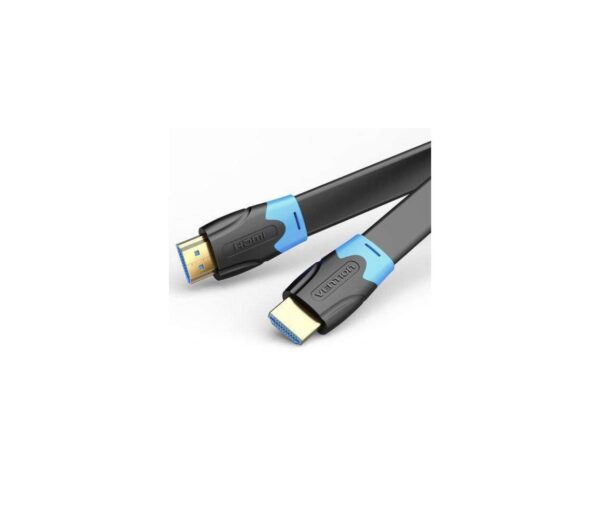
Vention HDMI Cable 10M Black
Vention HDMI Cable 10M Black
- Model: VAA-B02-L1000
- Cable Type: HDMI
- Length: 10 meters (approximately 32.8 feet)
- Color: Typically black
- Connector Type: Standard HDMI connectors
- Flat Cable Design: Flat cable design can make it easier to manage and route cables, especially over long distances
- Resolution Support: Supports a range of resolutions, including Full HD (1080p) and possibly 4K depending on the cable version and device compatibility
- Refresh Rate: Typically supports high refresh rates for smooth video playback and gaming
- Audio Support: Typically supports both audio and video transmission
SKU: n/a -


There are no reviews yet.