

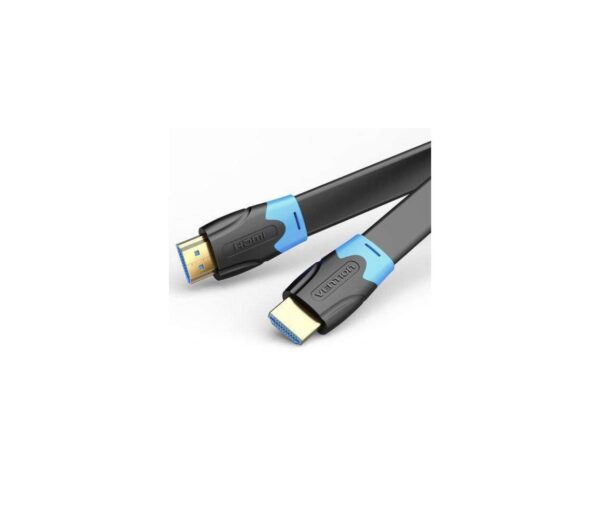
Vention HDMI to VGA Converter 0.15 Meter (Black Color)
The Vention HDMI to VGA Converter bridges the gap between modern HDMI devices and legacy VGA displays for students and professionals working with mixed-generation equipment. This compact 0.15-meter adapter converts digital HDMI signals from laptops, desktops, and media players into analog VGA output compatible with older projectors, monitors, and displays. The short integrated cable design minimizes desktop clutter while the active conversion circuitry ensures reliable signal translation across resolutions up to 1920×1080 at 60Hz.
Key Features & Benefits
- HDMI to VGA Signal Conversion: Connect modern HDMI laptops, computers, and streaming devices to legacy VGA projectors and monitors without replacing functional equipment, extending the useful life of classroom and office displays
- 1080p Full HD Support: Display crisp presentations, documents, and videos at resolutions up to 1920×1080 at 60Hz, maintaining text readability and image clarity on VGA displays that would otherwise remain incompatible with HDMI sources
- Compact 0.15m Cable Design: The short 15cm integrated cable positions the converter near connection points without excess cable management, ideal for wall-mounted projectors and desktop monitor connections where minimal cable visibility matters
- Active Conversion Technology: Built-in digital-to-analog converter chip ensures reliable signal translation without the image quality degradation common in passive adapters, delivering stable connections even with longer VGA cables
- Plug-and-Play Operation: Works immediately on Windows, macOS, Linux, and Chrome OS without installing drivers or software—simply connect the converter between your HDMI source and VGA display to start projecting within seconds
Technical Specifications
Video Performance
- Input: HDMI Type-A male connector
- Output: VGA (DB15) female connector
- Maximum Resolution: 1920×1080 (1080p) at 60Hz
- Supported Resolutions: 1920×1080, 1680×1050, 1600×1200, 1440×900, 1280×1024, 1024×768, 800×600
- Refresh Rates: 60Hz at 1080p, 75Hz at lower resolutions
- Color Depth: 24-bit color (16.7 million colors)
Signal Conversion
- Conversion Type: Active digital-to-analog conversion
- Chipset: Integrated DAC (Digital-to-Analog Converter)
- Signal Processing: Real-time HDMI to VGA translation
- HDCP Support: No (VGA does not support HDCP copy protection)
- Note: Cannot display HDCP-protected content (some streaming services, Blu-ray)
Audio Specifications
- Audio Support: No audio conversion (VGA is video-only)
- Note: Use separate 3.5mm audio cable for sound
- Recommendation: Connect audio separately to speakers or display audio input
Physical Specifications
- Cable Length: 0.15 meters (15cm / 6 inches)
- Converter Dimensions: Approximately 55mm × 30mm × 15mm
- Weight: 35-45g
- Material: ABS plastic housing
- Color: Black
- HDMI Connector: Gold-plated contacts for corrosion resistance
Power Requirements
- Power Source: Powered via HDMI connection (no external power needed for most devices)
- Optional Power: Some models include micro-USB power port for weak HDMI sources
- Power Consumption: Less than 500mW typical
- Current Draw: Minimal from HDMI port power pins
Compatibility
- Input Devices: Laptops, desktops, Chromebooks, Mac Mini, streaming devices, game consoles, DVD/Blu-ray players, set-top boxes
- Output Devices: VGA monitors, projectors, older displays, KVM switches
- Operating Systems: Windows 11/10/8/7, macOS (all versions), Linux, Chrome OS, Android (devices with HDMI output)
- Driver-Free: No software installation required
Environmental
- Operating Temperature: 0°C to 70°C (32°F to 158°F)
- Storage Temperature: -20°C to 80°C (-4°F to 176°F)
- Humidity: 10% to 90% non-condensing
- Certifications: CE, FCC, RoHS compliant
Use Cases & Applications
For Students
University classrooms and lecture halls often contain projectors installed 5-10 years ago when VGA remained the standard connection. Modern student laptops equipped exclusively with HDMI or USB-C ports cannot connect directly to these VGA projectors. The Vention converter enables students to deliver presentations from current laptops to classroom equipment without requiring expensive projector upgrades or IT department intervention.
Study group presentations in library conference rooms face similar compatibility challenges. Many libraries provide older VGA displays in group study rooms that younger students need to connect to for collaborative work. The converter fits easily in laptop bags alongside charging cables, ensuring students can present anywhere without worrying about connection compatibility.
Engineering and computer science students demonstrating projects in lab environments with legacy equipment benefit from reliable HDMI-to-VGA conversion. Connect Raspberry Pi devices, Arduino projects with HDMI output, or development laptops to older lab monitors and displays without compatibility concerns. The 0.15m cable length keeps connections neat in crowded lab benches where excess cable creates hazards.
Budget-conscious students owning older VGA monitors from parents or thrift stores can continue using these functional displays with modern laptops rather than purchasing new HDMI monitors. A $200 laptop plus this $15 converter plus a free hand-me-down VGA monitor creates productive dual-screen study setups for under $220 total investment.
For Business Professionals
Corporate conference rooms frequently contain VGA projectors installed during office buildouts years ago. These projectors function perfectly but lack HDMI inputs, creating frustrations when employees with modern laptops attempt to present. The converter provides immediate compatibility, eliminating the awkward delays when presentations fail to display due to connection incompatibilities.
Sales professionals visiting client sites encounter unpredictable presentation equipment. While modern offices have HDMI-equipped displays, many manufacturing facilities, warehouses, and older office buildings retain VGA projectors. Carrying this lightweight converter ensures presentation capability regardless of client equipment generation, preventing embarrassing technical difficulties during important pitches.
IT administrators managing mixed-generation equipment benefit from these converters as transitional solutions. Rather than replacing dozens of functional VGA monitors simultaneously, organizations can extend their service life by equipping employees with converters enabling modern computers to work with existing displays. This phased approach spreads costs over multiple budget cycles.
Training facilitators conducting workshops at various venues face equipment variability. The converter fits in presentation bags alongside laptop chargers and HDMI cables, providing VGA compatibility when needed without adding significant weight or bulk. The black color matches professional equipment aesthetics, maintaining polished appearance during client-facing presentations.
General Applications
- Classroom Instruction: Connect modern teacher laptops to older classroom projectors for lesson delivery, multimedia presentations, and educational video display
- Conference Presentations: Present from personal laptops to conference center VGA projectors during seminars, workshops, and professional conferences
- Home Office Setups: Connect modern computers to older VGA monitors already owned, creating dual-screen workstations without purchasing new displays
- Retail Digital Signage: Drive older VGA displays with modern HDMI media players for point-of-sale advertising, menu boards, and promotional content
- Industrial Monitoring: Connect modern computers to legacy VGA monitors in manufacturing facilities, control rooms, and production environments
- Medical Facilities: Display patient information from modern computers on older VGA medical monitors in exam rooms and clinics
- Houses of Worship: Connect media computers to older VGA projectors for sermon notes, song lyrics, and multimedia presentations
- Museum Exhibits: Drive older VGA displays with modern HDMI media players for exhibit information and interactive content
Understanding Active vs. Passive Conversion: This converter uses active conversion technology requiring internal circuitry to translate digital HDMI signals into analog VGA format. HDMI and VGA represent fundamentally different signal types—HDMI transmits digital data while VGA carries analog electrical signals. Active converters include DAC (Digital-to-Analog Converter) chips performing real-time signal translation.
Passive HDMI-to-VGA adapters do not exist despite some misleading product listings. Any functional HDMI-to-VGA adapter contains active electronics, though quality varies significantly. The Vention converter includes reliable conversion circuitry ensuring consistent performance across various source devices and display resolutions.
The active conversion requires power, drawn from the HDMI port’s power pins in most cases. Modern laptops and computers supply adequate power through HDMI connections for converter operation. Older devices or those with weak HDMI power output may require converters with auxiliary micro-USB power inputs supplying supplemental power for stable operation.
Resolution and Compatibility: The converter supports resolutions up to 1920×1080 at 60Hz, covering all standard business and educational presentation needs. PowerPoint slides, PDF documents, spreadsheets, and web pages display clearly at 1080p resolution. The 60Hz refresh rate ensures smooth motion for video playback and animations in presentations.
The converter automatically negotiates optimal resolution between HDMI source and VGA display. Connect the converter, power on both devices, and the source device detects the VGA display capabilities through DDC (Display Data Channel) communication. The source adjusts output resolution to match display capabilities, typically selecting the highest resolution both devices support.
Some older VGA displays support only 1024×768 or 1280×1024 maximum resolutions. The converter steps down output resolution appropriately, ensuring compatibility even with displays from the early 2000s. Manually configure source device resolution if automatic detection selects suboptimal settings—access display settings on Windows/macOS to specify preferred resolution matching your VGA display’s native specifications.
HDCP Limitation and Content Restrictions: VGA technology predates HDCP (High-bandwidth Digital Content Protection) and cannot transmit HDCP-protected content. Streaming services including Netflix, Hulu, Disney+, and others use HDCP to prevent unauthorized copying. When attempting to display HDCP-protected content through this converter, the screen typically shows black or error messages.
This limitation affects primarily entertainment content consumption. Business presentations, office documents, web browsers, locally-stored videos, and most productivity applications function perfectly. The HDCP restriction impacts primarily home theater applications rather than business or educational uses where this converter excels.
For displaying streaming service content on VGA displays, use streaming devices with native VGA output (older Roku models) or computers with built-in VGA ports. Alternatively, some HDCP strippers exist though their legality varies by jurisdiction and purpose. For legitimate educational and business applications, the HDCP limitation rarely creates issues.
Audio Handling: VGA carries video signals only—it includes no audio capability. When using this converter, audio from your HDMI source does not transmit to the VGA display. Connect audio separately using your device’s 3.5mm headphone jack to external speakers, the VGA display’s audio input (if equipped), or powered speakers.
Many VGA projectors and monitors include 3.5mm audio input jacks specifically for this purpose. Run a standard 3.5mm audio cable from your laptop’s headphone jack to the display’s audio input for synchronized audio-visual presentations. Some professional presentation setups use room audio systems, connecting laptop audio to room speakers via 3.5mm or Bluetooth connections.
Some HDMI-to-VGA converters include 3.5mm audio output jacks extracting audio from HDMI and providing separate audio output. The Vention converter focuses on video conversion only, requiring separate audio connections. Check converter specifications if audio extraction capability is essential for your specific application.
Cable Length Considerations: The 0.15-meter (15cm) integrated cable positions the converter immediately adjacent to HDMI sources, ideal for desktop computers, wall-mounted displays, and situations where converters should remain inconspicuous. The short cable reduces clutter compared to longer converter cables dangling from connection points.
Connect standard VGA cables to the converter’s VGA output port for extending distance to displays. VGA signals tolerate cable lengths up to 15 meters (50 feet) at 1024×768 resolution or 5 meters (16 feet) at 1920×1080 resolution before signal degradation becomes noticeable. Use high-quality VGA cables with proper shielding for maximum distance capability.
The short converter cable suits most classroom and conference room applications where projectors mount near podiums or where wall-mounted displays connect to nearby computers. For applications requiring converter placement away from HDMI sources, use standard HDMI extension cables between source and converter, then connect VGA cables from converter to displays.
Installation and Setup: Connect the converter’s HDMI male connector to your laptop, computer, or media device’s HDMI output port. The connection clicks securely into place. Connect a standard VGA cable from the converter’s VGA output port to your projector or monitor’s VGA input. Ensure the VGA cable’s thumbscrews tighten securely, preventing accidental disconnections during presentations.
Power on both the HDMI source device and VGA display. Most modern devices detect the connection automatically within 5-10 seconds, displaying content immediately. If the display shows no signal, manually trigger display detection through operating system settings (Windows: Windows+P, macOS: System Preferences > Displays > Detect Displays).
Configure resolution through display settings if image quality appears suboptimal. Select resolutions matching your VGA display’s native resolution for best results—typically 1920×1080 for newer VGA displays or 1024×768 for older models. Avoid non-native resolutions causing image scaling, softness, or aspect ratio distortion.
Troubleshooting Common Issues: No image on VGA display typically indicates loose connections, powered-off devices, or incorrect input source selection. Verify the VGA cable connects securely to both converter and display with thumbscrews tightened. Confirm the VGA display selects the correct input source (VGA/RGB/PC input rather than other inputs if multiple exist).
Fuzzy or distorted image quality suggests resolution mismatches or poor VGA cable quality. Manually set source device resolution to match VGA display native resolution. Try different VGA cables—low-quality cables with poor shielding cause image ghosting, color bleeding, or horizontal lines particularly at high resolutions or long cable lengths.
Black screen when playing streaming video indicates HDCP protection preventing content display through VGA. This limitation is inherent to VGA technology, not converter quality. Play non-protected content (business documents, locally-stored videos, web pages) to verify converter functionality, or use alternative connection methods for HDCP-protected content.
Intermittent signal loss or flickering suggests insufficient power from HDMI source. Some older laptops or devices with weak HDMI power output cannot power converter circuitry reliably. If available, use converters with auxiliary micro-USB power ports, connecting USB power cables to provide supplemental power ensuring stable operation.
Color and Image Quality: The Vention converter maintains good image quality during digital-to-analog conversion, though VGA’s analog nature introduces some inherent limitations. Expect slight softness compared to digital HDMI-to-HDMI connections, particularly noticeable in fine text and detailed images. This softness relates to VGA’s analog signal characteristics rather than converter quality—all VGA connections exhibit similar characteristics.
Colors appear slightly less vibrant through VGA compared to HDMI due to analog signal limitations and potential cable interference. Use high-quality VGA cables with proper shielding minimizing electromagnetic interference that can affect color accuracy. Position VGA cables away from power cables and electrical equipment reducing interference.
For business presentations, document display, and educational content, VGA image quality remains entirely acceptable. Text in PowerPoint slides stays readable, charts and graphs display clearly, and video playback appears smooth at 60Hz refresh rates. Professional photography, graphic design, or applications requiring absolute color accuracy may show VGA’s limitations more prominently.
When to Use This Converter: This converter excels for temporary or portable connections between modern HDMI sources and legacy VGA displays—classroom presentations, conference room meetings, traveling presentations, and temporary workstation setups. The 0.15m cable length suits applications where converters attach directly to source devices with minimal cable visibility.
For permanent installations connecting desktop computers to VGA monitors, consider computers with built-in VGA outputs eliminating conversion needs. For home theater applications requiring HDCP-protected content display, use devices with native VGA output or HDMI displays eliminating conversion entirely.
The converter provides cost-effective compatibility when replacing functional VGA equipment proves economically impractical. Educational institutions, small businesses, and budget-conscious users extend equipment life spans significantly through converters rather than wholesale equipment replacement—a $15 converter extends a $500 projector’s usefulness for years.
Limitations to Consider: The converter cannot convert VGA to HDMI—conversion works one direction only (HDMI input to VGA output). For connecting VGA sources to HDMI displays, separate VGA-to-HDMI converters exist using different conversion technology and requiring external power supplies.
The converter cannot display HDCP-protected content from streaming services, Blu-ray players, or protected media. This limitation affects entertainment applications more than business or educational uses where protected content rarely appears in presentations and productivity work.
VGA’s analog nature limits maximum resolution and introduces slight image quality degradation compared to digital connections. While 1080p support covers most business and educational needs, users requiring higher resolutions (1440p, 4K) cannot achieve them through VGA technology regardless of converter quality.
When This Converter Excels: The Vention HDMI to VGA Converter 0.15 Meter suits students and professionals using modern HDMI devices who need reliable compatibility with legacy VGA displays in classrooms, conference rooms, and office environments. The compact 15cm cable design, active conversion technology ensuring stable signal translation, and 1080p@60Hz support deliver clear presentations, documents, and video content on older equipment without the expense of display replacement. The black aluminum construction, plug-and-play operation, and portable form factor make it ideal for traveling presenters, students presenting in varied classroom environments, and anyone maintaining compatibility between current technology and functional legacy equipment, extending VGA display usefulness while organizations gradually transition to modern display standards.


Reviews
There are no reviews yet.