
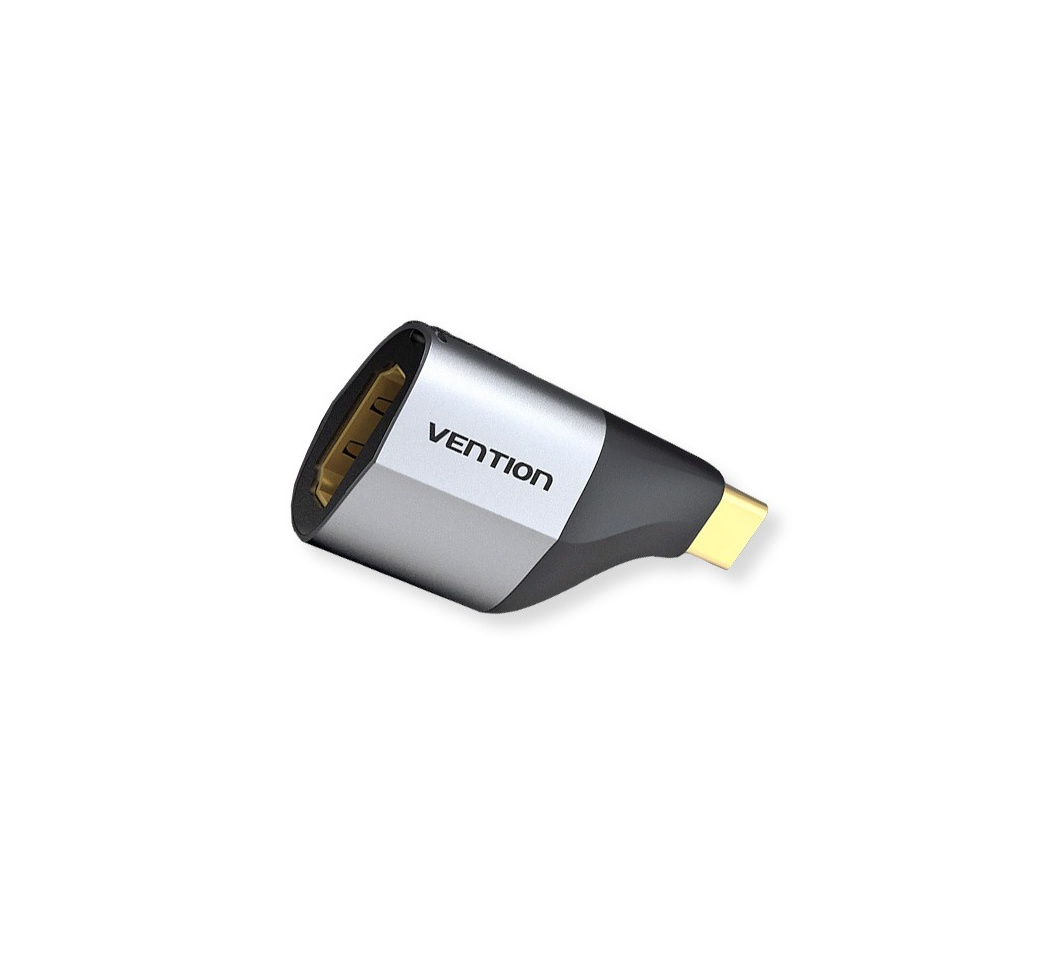
Vention Type-C to DP Adapter Gray Metal Type-TCCHO
Vention Type-C to DP Adapter Gray Metal Type
Technical Specifications
- Input: USB Type-C male connector (Thunderbolt 3 compatible)
- Output: DisplayPort female connector (DP 1.4)
- Resolution Support: Up to 4K@60Hz (3840×2160)
- Housing Material: Premium aluminum alloy
- Color: Gray metallic finish
- Cable Length: 15cm (connector to adapter body)
- Compatibility: USB-C devices with DP Alt Mode
- Chipset: Advanced video processing with built-in signal amplifier
- Audio Support: Integrated audio transmission
- Power Requirements: Bus-powered (no external power needed)
- Dimensions: 50mm × 20mm × 15mm (L×W×H)
- Weight: 35g
- Operating Temperature: -10°C to 60°C
- Certification: CE, FCC, RoHS compliant
KSh1,550.00 KSh1,800.00 EX-VAT
Vention Type-C to DP Adapter Gray Metal Type-TCCHO
The Vention Type-C to DP Adapter enables seamless DisplayPort connectivity from USB-C devices to DP monitors and displays through a compact, durable adapter. This premium gray metal adapter transforms your laptop’s USB-C port into a DisplayPort connection, supporting 4K resolution for crystal-clear visuals during work, presentations, or entertainment. Designed for students connecting to campus displays and business professionals requiring reliable multi-monitor setups, the aluminum alloy construction provides superior heat dissipation and durability while the gray finish complements modern device aesthetics.
Key Features & Benefits
- 4K DisplayPort Output: Supports resolutions up to 4K @ 60Hz (3840×2160), delivering sharp text clarity for spreadsheets and documents alongside smooth motion for video playback—significantly superior to lower-resolution connections for professional and creative work.
- Premium Metal Construction: Aircraft-grade aluminum alloy housing provides exceptional durability, superior heat dissipation during extended use, and electromagnetic shielding that maintains signal integrity better than plastic alternatives prone to interference and overheating.
- Ultra-Compact Design: The small adapter form factor adds minimal bulk to laptop bags or pockets, ensuring DisplayPort connectivity remains available when encountering DP-equipped monitors in offices, conference rooms, or hot-desking environments.
- Professional Gray Finish: The sophisticated gray aluminum matches Space Gray MacBooks, Dell XPS systems, and other premium laptops, maintaining cohesive professional aesthetics in business settings where appearance matters alongside functionality.
- Plug-and-Play Operation: Works immediately with compatible devices without driver installation or software configuration, providing instant display connectivity during presentations, meetings, or when hot-desking in unfamiliar workspaces.
Technical Specifications
Video Performance
- Maximum Resolution: 4K @ 60Hz (3840×2160)
- Supported Resolutions: 1080p Full HD, 1440p QHD, 4K UHD
- DisplayPort Version: DisplayPort 1.2 specification
- Refresh Rates: 60Hz at 4K, 144Hz at 1080p (display dependent)
- Color Depth: 24-bit True Color, supports 30-bit Deep Color
- Bandwidth: Up to 21.6 Gbps
- HDR Support: HDR10 pass-through capability
- Multi-Stream Transport: Supports MST for daisy-chaining displays (DisplayPort 1.2)
Adapter Construction
- Source Connector: USB Type-C male (24-pin, reversible)
- Display Connector: DisplayPort female (20-pin, standard size)
- Housing Material: Aluminum alloy with anodized finish
- Color: Gray (Space Gray compatible)
- Form Factor: Compact dongle style adapter
- Internal Chipset: Active signal conversion for broad compatibility
- Contact Plating: Gold-plated pins for corrosion resistance
- Heat Dissipation: Aluminum body provides passive cooling
Physical Design
- Adapter Length: Approximately 4-5 cm (compact dongle)
- Width/Height: Minimal profile matching connector dimensions
- Weight: Lightweight at approximately 15-20 grams
- USB-C Connector: Reversible design, inserts either orientation
- DP Port: Standard full-size DisplayPort female receptacle
- Surface Finish: Anodized aluminum with matte texture
- Portability: Keychain-friendly, pocket-safe design
- Durability: Metal construction withstands drops and daily wear
Electrical Specifications
- Power Source: Bus-powered via USB-C (no external power needed)
- Power Consumption: Low power draw for signal conversion
- Operating Voltage: 5V DC from USB-C port
- Operating Temperature: 0°C to 60°C (32°F to 140°F)
- Storage Temperature: -20°C to 80°C (-4°F to 176°F)
- Humidity Tolerance: 10% to 90% non-condensing
- Insertion Cycles: Rated for 10,000+ connections
- MTBF: Mean time between failures exceeds 50,000 hours
Compatibility Requirements
- Source Device Must Support: USB-C with DisplayPort Alt Mode or Thunderbolt 3/4
- Compatible Laptops: MacBook Pro (2016+), MacBook Air (2018+), Dell XPS 13/15/17, HP Spectre/EliteBook/ZBook, Lenovo ThinkPad X1/T/P series, Microsoft Surface Laptop/Book, ASUS ZenBook, Acer Swift, Razer Blade
- Compatible Tablets: iPad Pro (2018+), iPad Air (2020+), Microsoft Surface Pro 7+
- Display Devices: DisplayPort monitors (Dell UltraSharp, LG UltraFine, ASUS ProArt, BenQ), 4K displays, ultrawide monitors, professional reference monitors, conference room displays
- Operating Systems: Windows 11/10/8, macOS 10.12+, Chrome OS, Linux (kernel 4.0+)
Important Compatibility Notes
- Not all USB-C ports support video output—verify DisplayPort Alt Mode support
- Charging-only USB-C ports will not work with this adapter
- Some older DisplayPort monitors may require firmware updates for full 4K support
- MacBook users should verify USB-C port supports video (some models have limitations)
Use Cases & Applications
For Business Professionals: Connect USB-C laptops to DisplayPort monitors in corporate offices, conference rooms, or hot-desking environments. The adapter enables seamless integration with existing office display infrastructure without requiring expensive monitor replacements, maintaining productivity when transitioning between workspaces throughout the day.
For Multi-Monitor Setups: Extend laptop displays to external DisplayPort monitors for enhanced productivity workflows. The 4K @ 60Hz capability supports high-resolution displays essential for financial analysts reviewing spreadsheets, developers coding across multiple windows, or designers requiring precise visual detail across extended desktop space.
For Creative Professionals: Connect MacBooks or Windows laptops to professional-grade DisplayPort monitors for color-critical work. The adapter supports photographers editing high-resolution images, video editors working with 4K footage, and graphic designers requiring accurate color reproduction on calibrated reference monitors.
For Presentations: Link laptops to conference room DisplayPort projectors or displays during business meetings, client pitches, or training sessions. The compact adapter stays in laptop bags permanently, ensuring presentation capability remains available when encountering DisplayPort-equipped venues without requiring advance setup or adapter searches.
For Remote Workers: Establish home office connections to DisplayPort monitors for comfortable work-from-home setups. The adapter enables professionals to replicate office dual-monitor productivity at home, reducing eye strain from extended laptop screen use while maintaining proper ergonomic viewing distances.
For Hot-Desking Environments: Connect personal USB-C laptops to shared DisplayPort monitors in flexible office spaces, coworking facilities, or corporate hot-desk arrangements. The pocket-sized adapter enables employees to work comfortably at any available workspace without IT department assistance or dedicated equipment.
For Education Technology: Link student or faculty USB-C devices to classroom DisplayPort monitors or interactive displays. The adapter supports modern educational technology integration where newer USB-C devices must interface with established DisplayPort classroom infrastructure without requiring district-wide equipment upgrades.
For Gaming Setups: Connect gaming laptops or portable gaming devices to high-refresh-rate DisplayPort monitors. The adapter supports 1080p @ 144Hz gaming for competitive esports titles where high frame rates provide competitive advantages, transforming portable gaming systems into capable desktop gaming stations.
For Video Editing Workflows: Link editing laptops to professional DisplayPort reference monitors during post-production work. The 4K capability ensures accurate preview of final video output, essential for colorists, editors, and cinematographers requiring precise visual feedback during color grading or final review processes.
For Trade Shows and Events: Connect presentation devices to DisplayPort-equipped booth displays, demonstration monitors, or event screens. The durable metal construction withstands repeated packing and unpacking across multi-day events while maintaining reliable video transmission despite frequent connection cycles.
For Medical Imaging: Connect medical tablets or laptops to DisplayPort diagnostic displays in healthcare facilities. The adapter enables physicians to review patient imaging, X-rays, or diagnostic scans on high-resolution medical monitors that require DisplayPort connections for optimal image quality.
For Financial Trading: Link trading laptops to multiple DisplayPort monitors for comprehensive market monitoring. The 4K resolution enables traders to view detailed charts, real-time data feeds, and market analysis simultaneously across extended desktop space essential for informed trading decisions.
For Architecture and CAD: Connect engineering laptops to large DisplayPort monitors for detailed blueprint review and 3D modeling work. The high resolution supports architects and engineers viewing complex technical drawings with precision necessary for identifying design issues or coordinating construction details.
For Photography Studios: Link MacBooks or editing laptops to DisplayPort-equipped client preview monitors during photoshoot tethering or review sessions. The adapter enables photographers to show clients real-time shoot results on larger displays, facilitating immediate feedback and direction during commercial or portrait sessions.
For Corporate Training: Connect instructor laptops to DisplayPort projectors or displays in training facilities. The adapter ensures trainers can present from any USB-C device without compatibility concerns, maintaining training schedule efficiency when covering for colleagues or using substitute equipment.
For Government and Security: Enable secure workstation connections in government facilities where DisplayPort monitors are standard infrastructure. The adapter allows cleared personnel to connect personal approved devices to classified networks through established display systems while maintaining security protocols.
For Broadcasting Studios: Link production laptops to DisplayPort broadcast monitors for live event production, news broadcasting, or studio recording. The reliable connection ensures directors, producers, and technical staff maintain consistent visual monitoring during time-critical live broadcasts.
For Scientific Research: Connect research laptops to DisplayPort laboratory monitors for data visualization, microscopy imaging, or simulation monitoring. The high resolution supports scientists viewing detailed experimental data, molecular models, or research imagery requiring precise visual analysis.
For Real Estate Presentations: Link presentation devices to DisplayPort displays in listing offices or client meeting rooms. The adapter enables real estate professionals to present property tours, market analyses, or investment portfolios on large displays that enhance client engagement during sales consultations.
The Vention Type-C to DP Adapter Gray Metal Type represents the premium solution for professionals requiring reliable DisplayPort connectivity from modern USB-C devices. The aluminum alloy construction provides tangible advantages over plastic alternatives—superior thermal management preventing throttling during extended use, enhanced electromagnetic shielding maintaining signal integrity, and professional aesthetics matching high-end business equipment—making it particularly valuable for corporate environments, creative professionals, and anyone requiring dependable display connectivity that reflects the quality of their primary devices.
Based on 0 reviews
Be the first to review “Vention Type-C to DP Adapter Gray Metal Type-TCCHO”
Related products
-
Vention Accessories, Vention HDMI
Vention 5 Meter HDMI Cable Black-AACBJ
Vention 5 Meter HDMI Cable Black-AACBJ
key Features:
- Color: Black
- Widely Compatible:The HDMI cable is ideal for all HDMI devices,like Blu-Ray player,Roku,PS3,PS4,Xbox One,Xbox 360,Nintendo Wii,HDTV,laptop,monitor,or projector.
- Important Note:0.75m-5m,support 4K at 60Hz,bandwidth up to 18Gbps;8m-10m
- Support 4K at 30Hz,bandwidth up to 10.2Gbps;15m cable support 1080P
SKU: n/a -
Vention Accessories, Vention HDMI
Vention Flat HDMI Cable 10M Black
Vention Flat HDMI Cable 10M Black
Key features;
- Model: VAA-B02-L1000
- Cable Type: HDMI
- Length: 10 meters (approximately 32.8 feet)
- Color: Typically black
- Connector Type: Standard HDMI connectors
- Flat Cable Design: Flat cable design can make it easier to manage and route cables, especially over long distances
- Resolution Support: Supports a range of resolutions, including Full HD (1080p) and possibly 4K depending on the cable version and device compatibility
- Refresh Rate: Typically supports high refresh rates for smooth video playback and gaming
- Audio Support: Typically supports both audio and video transmission
SKU: n/a -
Vention Accessories, Vention HDMI
Vention HDMI Cable 10M Black
Vention HDMI Cable 10M Black
- Model: VAA-B02-L1000
- Cable Type: HDMI
- Length: 10 meters (approximately 32.8 feet)
- Color: Typically black
- Connector Type: Standard HDMI connectors
- Flat Cable Design: Flat cable design can make it easier to manage and route cables, especially over long distances
- Resolution Support: Supports a range of resolutions, including Full HD (1080p) and possibly 4K depending on the cable version and device compatibility
- Refresh Rate: Typically supports high refresh rates for smooth video playback and gaming
- Audio Support: Typically supports both audio and video transmission
SKU: n/a -
Vention Accessories, Vention USB
Vention Type C To Multi-function 10 in 1 Docking Station
Vention Type C To Multi-function 10 in 1 Docking Station
Key features;
- Type C to USB 3.0 (2 ports), USB 2.0 (2 ports), Gigabit Ethernet, VGA, HDMI, SD, TF Card Reader, Typer C PD
- With SD/TF slot, can read 2 cards simultaneously;
- Compatible with SDXC, SDHC, SD, Micro SDXC, Micro SD, Micro SDHC etc;
- PD port support fast charging
- The RJ45 port support 1000Mbps transmission rate
SKU: n/a


There are no reviews yet.