

Vention USB 3.0 Male To USB-C Female Adapter (VEN-CDPH0)
Vention USB 3.0 Male To USB-C Female Adapter (VEN-CDPH0)
Key Features
- The Vention adapter contains two USB ports
- Tablet, docking station, charger
- Includes USB 3.2 Gen 1 connectors
- Ergonomic design
- fast data transfer up to 400 Mbps
- The connector is treated against corrosion
KSh1,199.00 KSh1,400.00 EX-VAT
Vention USB 3.0 Male To USB-C Female Adapter (VEN-CDPH0)
The Vention USB 3.0 Male to USB-C Female Adapter (VEN-CDPH0) bridges the gap between legacy USB-A ports and modern USB-C devices. This compact adapter enables students and professionals to connect newer USB-C flash drives, cables, and peripherals to older laptops and desktop computers without USB-C ports. The reversible USB-C port eliminates frustrating connection attempts while maintaining USB 3.0 transfer speeds for efficient file management.
Key Features & Benefits
- Legacy Device Compatibility: Connect modern USB-C flash drives, external SSDs, and smartphone charging cables to older laptops and desktops from 2015 or earlier without replacing functional equipment
- USB 3.0 Transfer Speeds: Maintain data rates up to 5Gbps when transferring files between devices, completing large document backups or photo library transfers in minutes rather than hours
- Reversible USB-C Connection: Insert USB-C cables in either orientation without looking, eliminating the frustration of multiple connection attempts during presentations or when working in dim lighting
- Ultra-Compact Design: The minimal 25mm length adds virtually no bulk to your USB port, preventing interference with adjacent ports or accidental disconnections from bumps
- Durable Construction: Nickel-plated connectors resist corrosion from repeated use, ensuring reliable connections after hundreds of plug cycles across months or years of regular use
Technical Specifications
Data Performance
- USB Standard: USB 3.0 (SuperSpeed)
- Maximum Transfer Rate: Up to 5Gbps (625MB/s theoretical)
- Backward Compatibility: USB 2.0 devices at 480Mbps
- Signal Integrity: Supports cable lengths up to 1 meter when combined with USB-C cables
Connectivity
- Input Connector: USB 3.0 Type-A male
- Output Connector: USB-C (USB Type-C) female
- Supported Functions: Data transfer only (does not support video output)
- Power Delivery: Standard USB power up to 3A at 5V (15W maximum)
Physical Specifications
- Model Number: VEN-CDPH0
- Dimensions: 25mm × 12mm × 7mm
- Weight: 3g
- Material: ABS plastic housing with nickel-plated metal connectors
- Color: Black body with silver connector trim
Compatibility
- Host Devices: Computers, laptops, car stereos, power banks with USB-A ports
- Connected Devices: USB-C flash drives, smartphones, tablets, external drives, cameras
- Operating Systems: Universal compatibility (no driver required)
- Note: Does not convert USB-A ports to support USB-C specific features like DisplayPort Alt Mode
Electrical
- Voltage: 5V DC
- Current Rating: Up to 3A
- Contact Resistance: Less than 30mΩ
- Insulation Resistance: Greater than 100MΩ
Environmental
- Operating Temperature: -25°C to 85°C (-13°F to 185°F)
- Storage Temperature: -40°C to 125°C (-40°F to 257°F)
- Durability: 10,000+ insertion cycles
Use Cases & Applications
For Students
University computer labs and library workstations typically feature older desktop computers with only USB-A ports. Students carrying modern USB-C flash drives for assignments need this adapter to access lab computers for printing documents or working on group projects. Keep the adapter attached to your keychain or laptop bag for instant compatibility wherever you study.
Older laptops from 2016-2018 lack USB-C ports but remain perfectly functional for coursework. Rather than purchasing new computers, students can use this adapter to connect modern USB-C peripherals, external storage, and charging cables. Transfer lecture recordings from USB-C voice recorders or backup thesis documents to newer USB-C SSDs without compatibility barriers.
Charging smartphones during study sessions becomes simpler when you can use your existing USB-C charging cable with your older laptop’s USB-A ports. The adapter eliminates the need to carry both USB-A and USB-C cables, reducing bag weight and clutter.
For Business Professionals
Corporate desktop computers and docking stations often feature USB-A ports exclusively, even in recent deployments. Professionals receiving USB-C flash drives from clients or vendors need this adapter for immediate file access without IT department intervention. Maintain productivity during meetings by adapting USB-C presentation devices to conference room equipment.
Business travelers encounter varying USB port configurations across hotel workstations, client offices, and airport charging stations. Carrying this lightweight adapter ensures USB-C devices remain functional regardless of available infrastructure. Connect USB-C external drives to rental car entertainment systems or hotel TV USB ports for accessing presentations.
Remote workers frequently share workspaces between modern personal laptops (with USB-C) and older company-issued equipment (USB-A only). The adapter enables seamless peripheral sharing—connect USB-C external monitors, webcams, or storage devices to either machine without maintaining duplicate equipment sets.
General Applications
- Data Recovery: Access USB-C external drives on older computers when recovering files from damaged modern laptops
- Photography Workflows: Transfer photos from USB-C card readers to older desktop workstations with powerful editing software
- Automotive Connectivity: Connect USB-C smartphones to older car stereo systems for music playback and hands-free calling
- Device Charging: Use USB-C charging cables with older power banks, wall chargers, or laptop USB-A ports
- Peripheral Sharing: Connect modern USB-C keyboards, mice, or drawing tablets to older desktop computers
- Legacy Equipment Access: Bridge USB-C medical devices, industrial sensors, or lab equipment with older data collection computers
- Gaming Accessories: Connect USB-C game controllers or headset adapters to older gaming PCs or consoles with USB-A ports
Performance Considerations: The adapter maintains full USB 3.0 speeds when both the host port and connected device support USB 3.0. Transfer rates depend on the slowest component in the connection chain. A USB 3.0 port with USB-C SSD achieves near-maximum 5Gbps speeds, while a USB 2.0 port limits transfers to 480Mbps regardless of device capabilities.
When charging devices through this adapter, power output depends on the host USB port’s specifications. Standard USB 3.0 ports provide 900mA (4.5W), while some newer “charging” USB-A ports offer up to 3A (15W). Check your device’s charging requirements—tablets and laptops requiring 30W or more will charge slowly or not at all through USB-A ports.
Important Limitations: This adapter provides physical and electrical connection compatibility but does not enable USB-C exclusive protocols. Features requiring USB-C specifications—including USB Power Delivery fast charging above 15W, DisplayPort Alt Mode for video output, and Thunderbolt 3/4 data transfers—remain unavailable when using this adapter.
The adapter converts the physical connector type only. USB-C devices requiring specific protocols will experience limited functionality. For example, connecting a USB-C monitor expecting DisplayPort Alt Mode to a USB-A port via this adapter will not display video, as USB-A ports cannot carry video signals.
Practical Usage Tips: Keep the adapter permanently attached to frequently-used USB-C cables to create hybrid cables that work with both port types. This approach works particularly well for charging cables stored in desk drawers or car compartments. The adapter’s compact size prevents pocket bulges when carried with keychains or in small accessory pouches.
When using with USB-C flash drives, ensure the adapter clicks securely into place. Loose connections can cause file corruption during transfers if the device disconnects mid-write. The USB-C female port features a snug fit designed for 10,000+ insertion cycles, but verify solid connections before transferring important files.
Some USB-C devices feature recessed ports where the adapter’s housing may prevent full insertion. The Vention adapter’s slim 25mm profile minimizes this issue, but devices with particularly deep port recesses may require shorter, lower-profile adapters or direct USB-C to USB-A cables instead.
When This Adapter Is Not Needed: Modern laptops with both USB-A and USB-C ports rarely require this adapter, as you can connect devices directly to matching ports. The adapter serves primarily for older equipment lacking USB-C entirely or situations requiring USB-C peripherals on USB-A hubs and docking stations.
Devices requiring high-power USB-C charging (smartphones supporting 18W+ fast charging, tablets needing 30W+, laptops requiring 45-100W) should use direct USB-C power adapters rather than adapting USB-A ports. Standard USB-A ports cannot deliver sufficient power for fast charging protocols regardless of adapter quality.
The Vention VEN-CDPH0 excels as a transitional tool during the industry shift from USB-A to USB-C, extending the useful life of older equipment while embracing modern peripheral standards. Its compact form factor and reliable construction make it suitable for permanent installation on cables or occasional use as a portable adapter, depending on your specific connectivity needs.
Based on 0 reviews
Be the first to review “Vention USB 3.0 Male To USB-C Female Adapter (VEN-CDPH0)”
Related products
-
Vention Accessories, Vention HDMI
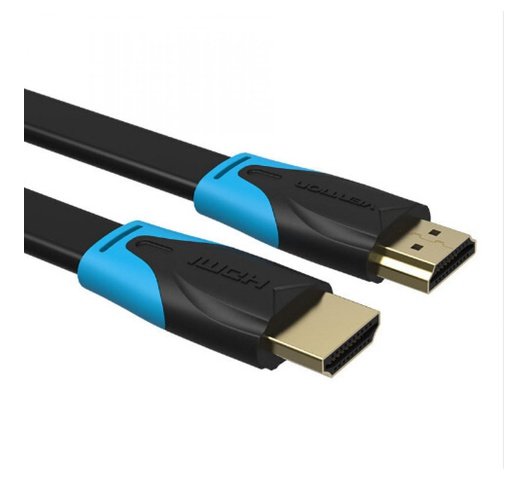
Vention HDMI Cable 2M Meter
Vention HDMI Cable 2M Meter Black AACBH.
Key Features:
- Color: Black
- Widely Compatible:The HDMI cable is ideal for all HDMI devices,like Blu-Ray player,Roku,PS3,PS4,Xbox One,Xbox 360,Nintendo Wii,HDTV,laptop,monitor,or projector.
- Important Note:0.75m-5m,support 4K at 60Hz,bandwidth up to 18Gbps;8m-10m
- Support 4K at 30Hz,bandwidth up to 10.2Gbps;15m cable support 1080P
SKU: n/a -
Vention Accessories, Vention USB
Vention USB-C Multi-Functional 5 in 1 Docking Station
Vention USB-C Multi-Functional 5 in 1 Docking Station – VEN TGDHB
Key features;
- Model: VEN TGDHB
- Brand: Vention
- Type: USB-C Multi-Functional 5-in-1 Docking Station
- SD/MicroSD Card Slots: SD and MicroSD card readers for transferring data from memory cards
- Compatibility: USB-C devices, including laptops, tablets, and smartphones with compatible USB-C ports
- Power Delivery: Varies by model, check specific product details for supported charging rates
SKU: n/a -
Vention Accessories, Vention HDMI
Vention 2-Port HDMI Bi-Direction 4K Switcher Black ABS Type
Vention 2-Port HDMI Bi-Direction 4K Switcher Black ABS Type
Key features;
- Easy to setup and operate
- No external power required,just plug and play via HDMI cables.
- 4K@60Hz UHD Resolution
- The HDMI switch support max 4Kx2K@60Hz resolution and simultaneously transmit audio and video signal,enjoy visual effects.
- Wide Compatibility
- Works with all devices with HDMI interface, such as PCs, laptops,Xbox 360, Xbox One, PS3, PS4, projectors, HDTV,etc.
SKU: n/a -



There are no reviews yet.