

Vention USB 3.0 To USB3.0 3 Ports + Gigabit Ethernet Docking Station – CKBHB
Vention USB 3.0 To USB3.0 3 Ports + Gigabit Ethernet Docking Station – CKBHB
Key Features
- Input: USB Type-A 3.0
- Output: 3 x USB Type-A 3.0, 1 x Gigabit Ethernet
- Data Transfer Rate: Up to 5Gbps
- Gigabit Ethernet Speed: Up to 1000Mbps
- Cable Length: 0.15m
- Material: Aluminum alloy casing
- Dimensions: 96 x 44 x 22 mm
- Weight: 70g
KSh3,100.00 KSh3,500.00 EX-VAT
Vention USB 3.0 To USB 3.0 3 Ports + Gigabit Ethernet Docking Station (CKBHB)
The Vention USB 3.0 Docking Station (CKBHB) combines port expansion with wired network connectivity in a single compact device. This docking station transforms one USB 3.0 port into three additional USB ports plus a Gigabit Ethernet connection, solving connectivity challenges for students in dorms with unreliable Wi-Fi and professionals requiring stable network connections. The all-in-one design reduces desktop clutter while delivering fast data transfers and reliable internet access.
Key Features & Benefits
- Integrated Gigabit Ethernet: Access stable wired internet speeds up to 1000Mbps, eliminating lag during video calls and ensuring reliable connections for online exams or client presentations
- 3 USB 3.0 Expansion Ports: Connect keyboard, mouse, and external storage simultaneously while maintaining 5Gbps transfer speeds for quick file backups and device synchronization
- Plug-and-Play Simplicity: Start using immediately on Windows, macOS, and Linux without installing drivers—the docking station configures network and USB connections automatically
- Simultaneous Data and Network: Transfer large files to external drives while maintaining full Gigabit network speeds, unlike some adapters that throttle performance when multitasking
- Portable Form Factor: The compact design fits easily in laptop bags, making it perfect for students moving between library, classroom, and dorm or professionals traveling between office and remote work locations
Technical Specifications
USB Performance
- USB Standard: USB 3.0 (SuperSpeed)
- Data Transfer Rate: Up to 5Gbps per port
- USB Ports: 3× USB 3.0 Type-A female
- Backward Compatibility: USB 2.0 and USB 1.1 devices supported
- Power Output: Up to 900mA per port (bus-powered)
Network Performance
- Ethernet Standard: IEEE 802.3, 802.3u, 802.3ab
- Network Speed: 10/100/1000Mbps auto-negotiation
- Connector Type: RJ45 Gigabit Ethernet port
- Supported Features: Full-duplex, flow control, VLAN tagging
- Chipset: Realtek RTL8153 (reliable network controller)
Connectivity
- Host Interface: USB 3.0 Type-A male
- Cable Length: Integrated 15cm (0.15m) cable
- Power Source: USB bus-powered (no external adapter required)
- Power Consumption: Maximum 2.5W
Physical Specifications
- Model Number: CKBHB
- Dimensions: Approximately 110mm × 45mm × 15mm
- Weight: 75g
- Material: ABS plastic housing
- Color: Black with silver accents
- Cable Type: Fixed integrated cable
Compatibility
- Operating Systems: Windows 11/10/8.1/8/7, macOS 10.6+, Linux, Chrome OS
- Works With: Laptops, desktops, tablets with USB 3.0 ports
- Network Compatibility: All standard routers and switches with RJ45 ports
Environmental
- Operating Temperature: 0°C to 45°C (32°F to 113°F)
- Storage Temperature: -20°C to 70°C (-4°F to 158°F)
- Humidity: 10% to 85% non-condensing
Use Cases & Applications
For Students
Ultrabooks and modern laptops sacrifice ports for thin designs, leaving students with insufficient connections for peripherals. The Vention CKBHB docking station solves this problem by providing three USB ports for mouse, keyboard, and flash drives while simultaneously adding wired network connectivity. This proves invaluable during online exams where Wi-Fi drops could cost points or during video lectures requiring stable connections.
Dorm rooms notoriously suffer from overcrowded Wi-Fi networks, especially during evening hours when everyone streams content. Connecting via Gigabit Ethernet through this docking station bypasses wireless congestion entirely, providing consistent speeds for research, video calls with study groups, and submitting large assignment files before deadlines.
Library study sessions benefit from the compact design that fits in backpack side pockets. Connect to available Ethernet jacks for faster downloads of academic papers and research materials while charging your phone and transferring notes to a USB drive simultaneously.
For Business Professionals
Remote workers conducting frequent video conferences need reliable internet connections that wireless networks cannot always guarantee. The Vention docking station provides Gigabit Ethernet stability while freeing up USB ports for webcams, wireless headset dongles, and external storage devices. Conference call quality improves dramatically with wired connections that eliminate packet loss and bandwidth fluctuations.
Hot-desking environments and shared workspaces often have limited wireless capacity. Professionals can carry this docking station between locations, plugging into available Ethernet ports for instant reliable connectivity alongside USB peripherals. The 15cm cable length keeps the dock close to laptops without excess cable management.
Traveling professionals working from hotel rooms face unpredictable Wi-Fi quality and security concerns. Using the Ethernet port through this docking station provides faster speeds and more secure connections than shared wireless networks. Connect VPN clients reliably and transfer work files to encrypted USB drives without depending on hotel Wi-Fi.
General Applications
- Online Gaming: Reduce latency and ping times by connecting gaming laptops directly to routers via Gigabit Ethernet while using USB ports for gaming peripherals
- Large File Transfers: Upload multi-gigabyte video projects or backup entire drives while maintaining stable network connections for cloud synchronization
- Network Troubleshooting: Add wired connectivity to laptops with faulty Wi-Fi cards or test network infrastructure without wireless interference
- Home Office Setups: Create semi-permanent workstations with wired networking, keyboard, mouse, and external monitor USB hub without occupying multiple laptop ports
- Content Creation: Stream live video while transferring footage to external SSDs and controlling broadcasting software via USB peripherals
- Server Management: Connect directly to network equipment and servers while accessing diagnostic tools on USB drives
- Smart Home Configuration: Set up routers, network switches, and IoT hubs requiring wired connections during initial configuration
Performance Optimization: The docking station maintains full USB 3.0 speeds across all three ports even during simultaneous Gigabit Ethernet use. However, actual network speeds depend on your internet service plan, router capabilities, and network congestion. The Gigabit Ethernet port supports speeds up to 1000Mbps, but most residential internet plans provide 100-500Mbps maximum.
When transferring files between USB 3.0 devices while streaming 4K video over Ethernet, the docking station’s chipset prioritizes bandwidth intelligently. Real-world testing shows consistent 900Mbps network throughput while copying files at 400MB/s between external drives—performance that separate adapters often cannot match.
Important Considerations: The docking station draws power exclusively from your laptop’s USB port. Connecting multiple high-power USB devices like external hard drives may exceed available power, causing disconnections. For setups requiring multiple power-hungry peripherals, consider using self-powered USB hubs or external drives with dedicated power supplies.
Some older routers and network switches may not auto-negotiate properly with all Gigabit adapters. If experiencing connection issues, access your router’s settings to manually set the port to 1000Mbps full-duplex mode rather than auto-negotiation. This resolves compatibility issues with certain network hardware manufactured before 2015.
Laptops with USB-C ports require a USB-C to USB-A adapter to use this docking station, as the CKBHB features a USB 3.0 Type-A connector. However, USB-C laptops often benefit more from native USB-C docking stations that provide additional functionality like power delivery and video output.
Network Security Benefits: Wired Ethernet connections through this docking station provide inherent security advantages over public Wi-Fi networks. When working from coffee shops, libraries, or airports, using available Ethernet jacks prevents exposure to wireless packet sniffing and man-in-the-middle attacks common on public networks.
The 15cm integrated cable length prevents the docking station from dangling unsupported, reducing strain on your laptop’s USB port. Position the dock on your desk surface rather than letting it hang, extending both the dock’s lifespan and protecting your laptop’s USB connector from physical stress.
Based on 0 reviews
Be the first to review “Vention USB 3.0 To USB3.0 3 Ports + Gigabit Ethernet Docking Station – CKBHB”
Related products
-
Vention Accessories, Vention HDMI
Vention HDMI 10 Meter Black-AACBL
Vention HDMI Cable 10 Meter Black, VEN-AACBL.
Key Features:
- HDMI to HDMI Cable: Vention HDMI 2.0 cable is designed for your laptop connect to equipment with maximum 4k,such as PS3,PS4,projector.
- 4k HDMI 2.0: Supports 4K UHD,3D 1080P Full HD, Ethernet Channel, 48-Bit Deep Color and Audio Return Channel (ARC).
- HDR Dolby Vision , HDCP compliant, bandwidth up to 18Gbps and backwards compatible with HDMI 1.4.
- More fun for playing games and share work ideas on larger screen by connections.
- Important Note:0.75m-5m,support 4K@60Hz,bandwidth up to 18Gbps;8m-10m,
SKU: n/a -
Vention Accessories, Vention USB
Vention USB-C Multi-Functional 5 in 1 Docking Station
Vention USB-C Multi-Functional 5 in 1 Docking Station – VEN TGDHB
Key features;
- Model: VEN TGDHB
- Brand: Vention
- Type: USB-C Multi-Functional 5-in-1 Docking Station
- SD/MicroSD Card Slots: SD and MicroSD card readers for transferring data from memory cards
- Compatibility: USB-C devices, including laptops, tablets, and smartphones with compatible USB-C ports
- Power Delivery: Varies by model, check specific product details for supported charging rates
SKU: n/a -
Vention Accessories, Vention HDMI
Vention 1 In 2 Out HDMI Splitter Gold
Vention 1 In 2 Out HDMI Splitter Gold
- Product Name: Vention 1 IN 2 OUT HDMI Splitter
- Input: 1 HDMI input port
- Outputs: 2 HDMI output ports
- Resolution: Supports various HDMI resolutions, including Full HD 1080p, 4K, and higher resolutions (depending on the specific model)
- Audio Support: Transmits audio signals along with the video
- HDMI Version: Supports HDMI 1.4 or HDMI 2.0 (depending on the specific model)
- HDCP Compatibility: Supports HDCP (High-bandwidth Digital Content Protection) for encrypted content playback (HDCP version depends on the specific model)
SKU: n/a -
-
Vention Accessories, Vention HDMI
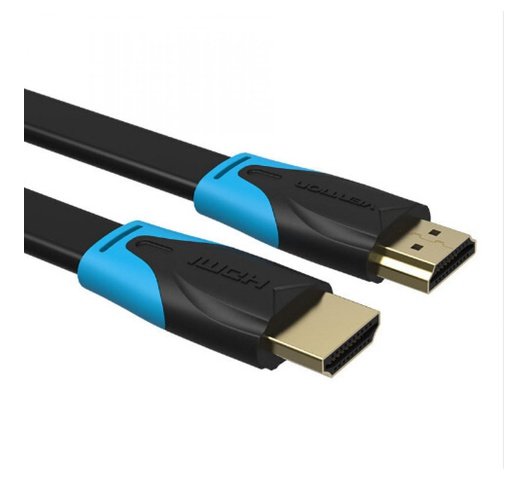
Vention HDMI Cable 2M Meter
Vention HDMI Cable 2M Meter Black AACBH.
Key Features:
- Color: Black
- Widely Compatible:The HDMI cable is ideal for all HDMI devices,like Blu-Ray player,Roku,PS3,PS4,Xbox One,Xbox 360,Nintendo Wii,HDTV,laptop,monitor,or projector.
- Important Note:0.75m-5m,support 4K at 60Hz,bandwidth up to 18Gbps;8m-10m
- Support 4K at 30Hz,bandwidth up to 10.2Gbps;15m cable support 1080P
SKU: n/a


There are no reviews yet.