

Vention VGA to HDMI Converter with Female Micro USB Black (ACNBB)
| PACKAGE DIMENSIONS | 7 x 5.2 x 0.7 inches |
|---|---|
| ITEM WEIGHT | 2.4 ounces |
| SHIPPING WEIGHT | 1.6 ounces (View shipping rates and policies) |
| MANUFACTURER | Vention |
| ASIN | B07D51QCFF |
| ITEM MODEL NUMBER | ACNBB |
KSh1,300.00 KSh1,600.00 EX-VAT
Vention VGA to HDMI Converter with Female Micro USB Black (ACNBB)
The Vention ACNBB is a VGA to HDMI converter with integrated Micro USB power input that transforms analog VGA signals to digital HDMI output. This adapter enables students to connect older laptops and computers to modern HDMI monitors and projectors in upgraded classrooms, while business professionals can bridge legacy equipment with contemporary display technology. The Micro USB power port ensures stable conversion for reliable video transmission during presentations and daily use.
Key Features & Benefits
- VGA to HDMI Conversion: Transforms analog VGA video signals to digital HDMI output, allowing older computers and equipment to connect to modern displays without replacing functional legacy hardware.
- Integrated Audio Support: Features 3.5mm audio input jack that combines with video signal for HDMI audio-video output, eliminating the need for separate speaker connections to displays.
- Micro USB Power Input: Includes dedicated power port for stable active conversion, ensuring consistent signal processing and preventing compatibility issues with low-power USB ports.
- Plug-and-Play Operation: Works immediately after connection without driver installation, enabling quick setup for presentations and workspace configurations without technical complications.
- Compact Portable Design: Small form factor fits easily in laptop bags alongside other accessories, making it convenient for students and professionals who work across multiple locations.
Technical Specifications
Physical Characteristics
- Input: VGA Male (15-pin D-sub) with integrated 3.5mm audio jack
- Output: HDMI Female port
- Power Input: Micro USB Female port (5V DC)
- Housing Material: ABS plastic construction
- Color: Black
- Cable Length: Attached VGA cable (typically 10-15cm)
- Dimensions: Compact adapter format
Video Performance
- Maximum Resolution: 1920×1080 @ 60Hz (Full HD 1080p)
- Supported Resolutions: 1680×1050, 1600×1200, 1280×1024, 1280×720, 1024×768, 800×600
- Signal Conversion: Analog to digital conversion with active chipset
- Color Depth: 24-bit true color support
- Refresh Rates: 60Hz standard
Audio Specifications
- Audio Input: 3.5mm stereo jack (analog audio)
- Audio Output: Digital audio embedded in HDMI signal
- Audio Support: Stereo audio transmission
- Sample Rate: Standard audio frequencies
- Integration: Combines audio and video in single HDMI output
Power Requirements
- Power Input: Micro USB port (5V/1A recommended)
- Power Source: USB wall adapter, power bank, or computer USB port
- Power Cable: Micro USB cable required (may or may not be included)
- Consumption: Low power operation (typically under 500mA)
Conversion Technology
- Chipset: Active analog-to-digital conversion circuitry
- Signal Processing: Real-time VGA to HDMI protocol conversion
- Latency: Minimal conversion delay for real-time display
- Bus Powered: Requires external power via Micro USB
Compatibility
- Source Devices: Desktop computers with VGA, older laptops, legacy servers, industrial equipment, document cameras, older gaming consoles, VGA-equipped media players
- Output Devices: HDMI monitors, HDTVs, projectors, conference room displays
- Operating Systems: Hardware-level compatibility (Windows, macOS, Linux, DOS-based systems)
- Cable Requirements: HDMI cable needed to connect converter to display (not included)
Important Notes
- Direction: VGA to HDMI only (not reversible – cannot convert HDMI to VGA)
- Active Converter: Requires Micro USB power for operation
- Audio Cable: 3.5mm audio cable needed if audio transmission desired
Use Cases & Applications
For Students The Vention ACNBB converter enables students with older laptops to connect to modern HDMI projectors in upgraded classrooms for presentations and group projects. Students accessing legacy computer labs with VGA-equipped machines can connect to personal HDMI monitors brought from dorm rooms for comfortable workspace extension. The compact design allows students to carry the converter in backpacks as a backup connection solution when presenting in various campus facilities with uncertain equipment configurations. Computer science students working with older hardware in labs use the converter to connect legacy systems to modern displays for programming and testing projects.
For Business Use Business professionals present from older company-issued laptops to modern conference room displays equipped with HDMI, extending equipment lifespan without costly upgrades. IT departments deploy these converters to connect legacy servers and industrial control computers with VGA outputs to modern HDMI monitoring displays in server rooms. Small businesses operating functional older computers use the converter to connect to new HDMI monitors, avoiding unnecessary equipment replacement costs. Manufacturing facilities connect older VGA-equipped control systems and machinery interfaces to contemporary HDMI displays for operator stations. Corporate training rooms use the converter to ensure compatibility with various presenter equipment, accommodating both legacy and modern laptops.
Additional Applications Educational institutions connect older document cameras and teaching computers with VGA outputs to modern classroom projection systems with HDMI inputs. Churches and community centers bridge legacy media computers to upgraded HDMI projection systems without replacing functional equipment. Retail point-of-sale systems running on older VGA-equipped computers connect to modern HDMI customer-facing displays. Museums and galleries connect older interactive kiosk computers to replacement HDMI displays as original monitors fail. Security monitoring setups connect legacy DVR systems with VGA outputs to modern HDMI displays in control rooms. Home users extend the life of older desktop computers by connecting them to new HDMI TVs and monitors, avoiding full system replacement. Arcade and gaming enthusiasts connect retro gaming PCs with VGA outputs to modern HDMI displays for classic gaming experiences. Medical facilities connect older diagnostic equipment and workstations with VGA to modern HDMI displays as healthcare technology upgrades. The audio input jack proves particularly valuable in conference rooms and classrooms where audio must accompany presentations, allowing older laptops to transmit both video and audio through modern HDMI displays with built-in speakers. Industrial automation facilities maintain connections between legacy programmable logic controllers and human-machine interfaces with VGA to updated HDMI operator displays without disrupting production systems.
Based on 0 reviews
Be the first to review “Vention VGA to HDMI Converter with Female Micro USB Black (ACNBB)”
Related products
-
Vention Accessories, Vention HDMI
Vention HDMI Cable 2M Meter
Vention HDMI Cable 2M Meter Black AACBH.
Key Features:
- Color: Black
- Widely Compatible:The HDMI cable is ideal for all HDMI devices,like Blu-Ray player,Roku,PS3,PS4,Xbox One,Xbox 360,Nintendo Wii,HDTV,laptop,monitor,or projector.
- Important Note:0.75m-5m,support 4K at 60Hz,bandwidth up to 18Gbps;8m-10m
- Support 4K at 30Hz,bandwidth up to 10.2Gbps;15m cable support 1080P
SKU: n/a -
-
Vention Accessories, Vention HDMI
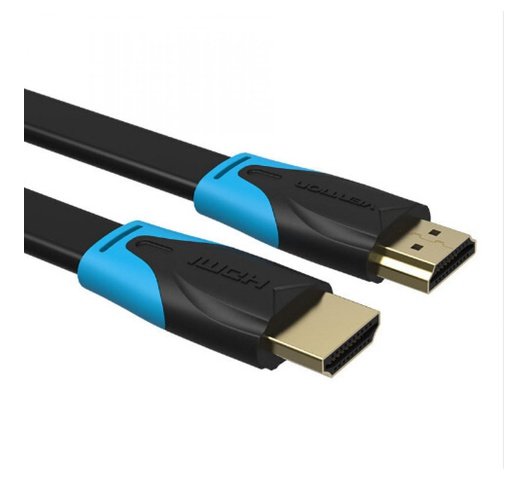
VENTION FLAT HDMI CABLE 2M BLACK
VENTION FLAT HDMI CABLE 2M BLACK
Key Features;
- High-Speed HDMI 2.0 Cable
- Mirror & Extended Mode
- Long-Last HDMI 2.0 Cable
- Connector Type: HDMI Male A
- Gold plated connectors
- Shield Anti-interference
- PVC body: resistance to bending
SKU: n/a -
Vention Accessories, Vention HDMI
Vention HDMI Cable 10M Black
Vention HDMI Cable 10M Black
- Model: VAA-B02-L1000
- Cable Type: HDMI
- Length: 10 meters (approximately 32.8 feet)
- Color: Typically black
- Connector Type: Standard HDMI connectors
- Flat Cable Design: Flat cable design can make it easier to manage and route cables, especially over long distances
- Resolution Support: Supports a range of resolutions, including Full HD (1080p) and possibly 4K depending on the cable version and device compatibility
- Refresh Rate: Typically supports high refresh rates for smooth video playback and gaming
- Audio Support: Typically supports both audio and video transmission
SKU: n/a -



There are no reviews yet.