
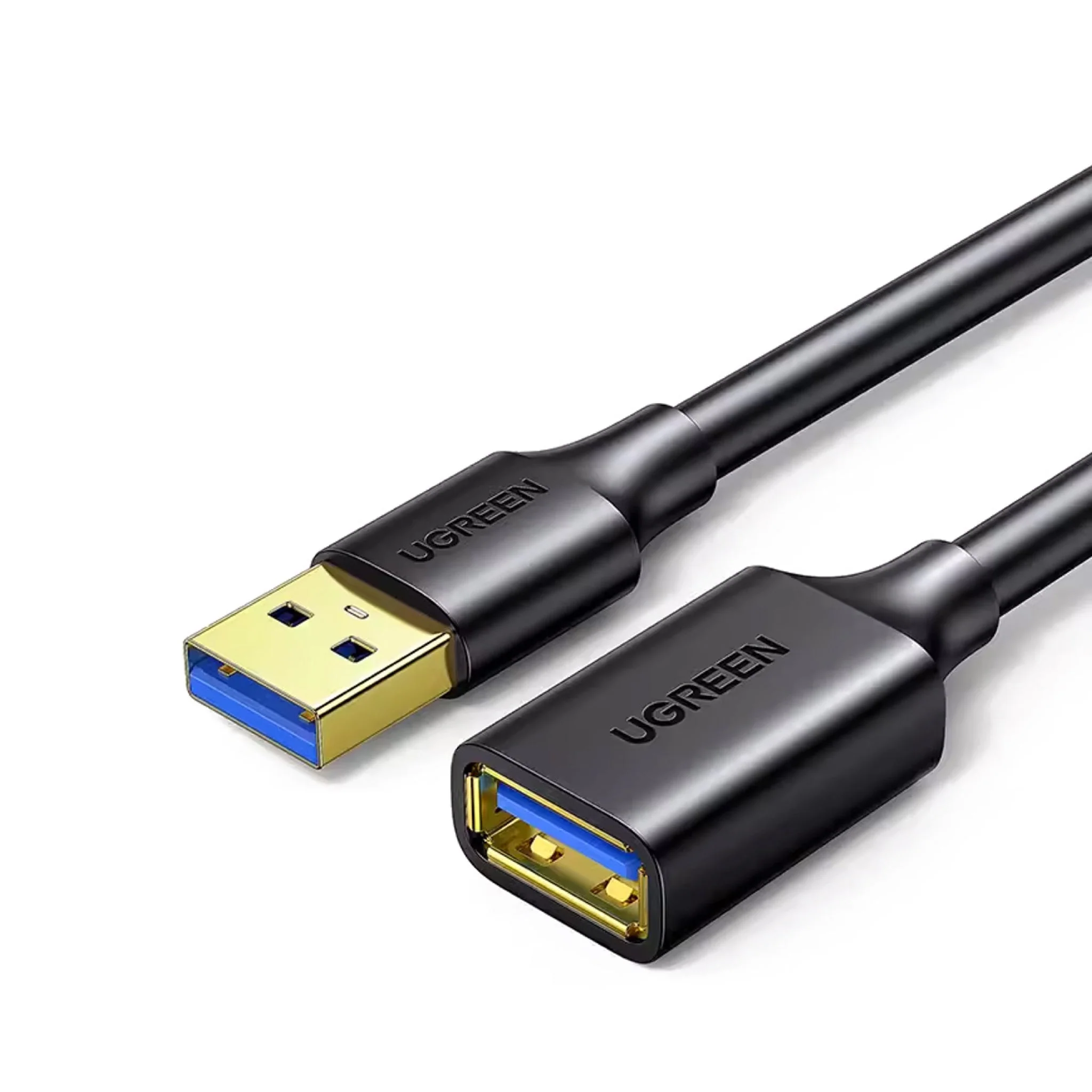
UGREEN USB 3.0 A Male-Female Extension Cable 3M-US129
| Compatible Devices | Webcam |
| Connector Type | USB 3.0 Male to Female |
| Color | Black |
| Item Dimensions LxWxH | 6.48 x 4.06 x 0.78 inches |
| Brand | UGREEN |
KSh700.00 KSh1,000.00 EX-VAT
UGREEN USB 3.0 A Male-Female Extension Cable 3M – US129
The UGREEN US129 extends USB connections by 3 meters without signal degradation or speed loss. This extension cable brings USB ports closer to where you need them, eliminating the frustration of reaching behind desks or stretching short device cables to distant computers. Students can position webcams at optimal angles for online classes, while business professionals gain the flexibility to arrange USB peripherals comfortably without being constrained by built-in cable lengths.
Key Features & Benefits
- 3-Meter Extended Reach: Provides 9.8 feet of additional length for USB devices, letting you position keyboards, mice, webcams, and external drives where they’re most convenient rather than where cables dictate.
- USB 3.0 SuperSpeed Performance: Maintains full 5 Gbps transfer rates for external hard drives and high-speed peripherals, ensuring data moves as quickly as direct connections without the speed penalties of older USB 2.0 extensions.
- Premium Braided Construction: Nylon-braided jacket resists tangling, abrasion, and pet damage while remaining flexible enough to route through cable management systems and around furniture.
- Gold-Plated Connectors: Corrosion-resistant contacts maintain signal integrity and withstand repeated connecting and disconnecting without the oxidation that causes connection problems over time.
- Universal Device Compatibility: Works with any USB device including keyboards, mice, printers, webcams, game controllers, flash drives, external hard drives, wireless adapters, and charging cables.
Technical Specifications
Performance
- USB Standard: USB 3.0 (USB 3.1 Gen 1, SuperSpeed)
- Data Transfer Rate: Up to 5 Gbps (625 MB/s theoretical)
- Backward Compatible: USB 2.0 (480 Mbps) and USB 1.1 (12 Mbps) devices
- Power Delivery: Supports standard USB power up to 900mA at 5V
Connectors
- Male End (Computer): USB 3.0 Type-A male (blue tongue indicator)
- Female End (Device): USB 3.0 Type-A female socket
- Contact Material: Gold-plated pins
- Housing: Molded PVC with reinforced strain relief
Physical Design
- Length: 3 meters (9.8 feet)
- Cable Diameter: 6mm
- Jacket Material: Nylon braided exterior over dual shielding
- Weight: 145g (5.1 oz)
- Color: Black with blue USB 3.0 indicator
- Flexibility: Tangle-resistant, suitable for routing
Construction Quality
- Conductor: Oxygen-free copper (OFC) cores
- Wire Gauge: 28AWG for data, 22AWG for power lines
- Shielding: Aluminum foil + braided shielding layer
- Strain Relief: Reinforced connector boots on both ends
- Build: Heavy-duty construction for extended cable runs
Compatibility
- Device Types:
- External hard drives and SSDs
- USB flash drives and card readers
- Keyboards and mice
- Webcams and USB cameras
- Game controllers and joysticks
- Printers and scanners
- Wireless adapters (Wi-Fi, Bluetooth dongles)
- USB microphones and audio interfaces
- VR headset sensors and trackers
- USB fans, lights, and accessories
- Operating Systems:
- Windows (all versions)
- macOS (all versions)
- Linux
- Chrome OS
- Gaming consoles (PS4, PS5, Xbox)
- No drivers required
Standards Compliance
- USB 3.0 specification
- RoHS compliant
- Backward compatible with USB 2.0 and 1.1 standards
Use Cases & Applications
For Students
Position webcams at eye level for more natural video call angles during online classes. Mount your camera on a monitor shelf or tripod positioned away from your laptop, using the extension cable to reach your computer’s USB port without webcam cable strain.
Set up comfortable study spaces where your mouse and keyboard sit at ergonomic positions. If your desktop tower sits on the floor or far from your immediate reach, the extension brings USB connectivity to your desk surface for convenient peripheral access.
Connect USB microphones at optimal distances for podcast projects or voice recordings. Position your mic on its stand where it captures clean audio without being limited by the microphone’s built-in cable length.
For Business Professionals
Create organized desk setups in hot-desking environments. Run extension cables from desktop towers or docking stations to more accessible locations, making it easier to connect laptops and peripherals without crawling under desks.
Position wireless keyboard and mouse receivers closer to your peripherals for stronger signal reception. If your computer sits inside a metal desk cabinet or far from where you work, extending the receiver reduces dropout and improves responsiveness.
Set up presentation equipment with proper spacing. Connect wireless presentation clickers, laser pointers, or document cameras positioned conveniently for your presentation style without being tethered closely to laptops or computers.
For Gaming Setups
Extend game controller cables for comfortable couch gaming. Console players sitting away from TV stands benefit from extensions that allow relaxed seating positions without wireless controller battery concerns.
Position VR tracking sensors at optimal mounting points. Room-scale VR setups require sensors positioned high and wide—extension cables provide the reach needed for proper sensor placement regardless of PC location.
Connect racing wheels, flight sticks, and sim equipment at comfortable distances. Dedicated gaming peripherals often have short cables designed for desktop use—extensions enable living room or dedicated sim rig configurations.
For Content Creators
Set up multi-camera streaming configurations. Position additional USB cameras, capture cards, or microphones throughout your recording space without being limited by device cable lengths, creating professional multi-angle productions.
Connect audio interfaces and MIDI controllers in home studios. Position equipment on stands, racks, or tables at comfortable working heights while maintaining connection to computers that may sit in different locations for noise isolation.
Extend USB lighting equipment positioning. Ring lights, LED panels, and other USB-powered production lights can be positioned independently from computer locations for optimal lighting angles.
For Desktop Computer Users
Bring rear-panel USB ports to front-accessible locations. Many desktop towers feature primarily rear-mounted USB ports—extension cables effectively create front-panel access without case modifications.
Connect USB hubs at desk surface level. Run extensions from your computer to USB hubs positioned conveniently on your desk, centralizing USB connectivity where you need it most.
Reach USB devices in hard-to-access locations. Printers, scanners, or external drives positioned on shelves, in cabinets, or across rooms become accessible when original cables fall short.
For Home Entertainment Systems
Connect USB storage to smart TVs positioned far from storage locations. External hard drives with movies and media can remain in convenient locations while still connecting to wall-mounted TVs.
Extend wireless adapter positioning for better reception. Wi-Fi or Bluetooth dongles work better when positioned away from electronic interference—extensions let you place adapters in optimal locations.
Link streaming devices and media players with flexible placement. Position Roku, Fire TV, or other USB-powered devices where HDMI cables reach while extending USB power connections from convenient power sources.
For Office and Workspace Organization
Route USB connections cleanly through cable management systems. The 3-meter length provides enough slack to run cables along desk legs, through cable trays, and behind furniture while maintaining organization.
Connect shared peripherals in multi-user spaces. Position printers, scanners, or other shared USB devices centrally while connecting to computers positioned at individual workstations.
For Specialized Equipment
Extend USB connections for industrial or laboratory equipment. Measurement devices, sensors, and specialized tools often need positioning separate from controlling computers—extensions provide necessary reach.
Connect security cameras and monitoring equipment. USB cameras for security, baby monitoring, or pet observation can be positioned at surveillance points while connecting to computers elsewhere.
Technical Considerations
At 3 meters, this cable maintains full USB 3.0 performance (5 Gbps) without active amplification. USB 3.0 passive cables work reliably up to about 3 meters—beyond this length, signal degradation becomes possible without active repeater technology. This cable length represents the maximum practical passive extension for USB 3.0 speeds.
The 22AWG power conductors support standard USB 3.0 power delivery (900mA at 5V, or 4.5W). This powers most peripherals like keyboards, mice, webcams, and wireless adapters. However, high-power devices like some external hard drives, USB hubs, or charging-intensive devices may require powered USB hubs if power delivery becomes insufficient.
USB 3.0’s higher bandwidth makes it more susceptible to electromagnetic interference than USB 2.0. The dual shielding (aluminum foil plus braided layer) protects signal integrity, but avoid running the cable parallel to AC power cords for extended distances. Cross power cables at right angles when unavoidable to minimize interference.
Connecting multiple extension cables in series (daisy-chaining) isn’t recommended. Each additional connection point introduces potential signal loss and power voltage drop. For runs longer than 3 meters, use single longer cables or active USB extension solutions rather than chaining multiple passive extensions.
The cable works bidirectionally—either end can connect to your computer, and either end can connect to your device. However, matching the male end to your computer’s port and the female end to your device’s cable creates the most logical configuration.
Power Delivery Limitations: While the cable supports USB 3.0’s 900mA specification, voltage drop over 3 meters can affect power-hungry devices. If devices malfunction or disconnect intermittently, insufficient power delivery may be the cause. Solutions include powered USB hubs, devices with separate power adapters, or shorter cable runs.
Speed Expectations: The cable maintains USB 3.0’s 5 Gbps theoretical maximum, but actual transfer speeds depend on your device capabilities. A USB 2.0 flash drive operates at USB 2.0 speeds regardless of the cable’s USB 3.0 capability. External SSDs benefit most from USB 3.0 extensions, while keyboards and mice see no speed difference since they don’t approach USB bandwidth limits.
Signal Quality: The braided shielding and gold-plated connectors maintain signal integrity, but physical cable condition matters. Avoid sharp bends (bend radius under 5cm), don’t place heavy objects on the cable, and prevent crimping in drawer closures. These factors can damage internal conductors and cause intermittent connections.
Environmental Considerations: The braided construction provides good abrasion resistance, but the cable isn’t waterproof or designed for outdoor use. For permanent outdoor or industrial installations, use cables specifically rated for those environments.
Important Notes: When connecting USB 3.0 devices, ensure both the extension cable and the device’s original cable support USB 3.0—using a USB 2.0 device cable with a USB 3.0 extension still limits you to USB 2.0 speeds. The blue tongue visible inside the USB-A male connector indicates USB 3.0 capability. If your device doesn’t recognize or experiences intermittent connection, try connecting to different USB ports on your computer—some front-panel or hub-based ports provide less reliable power than motherboard-connected rear ports. For data-intensive devices like external hard drives, connect the extension directly to your computer’s USB 3.0 port rather than through hubs or docking stations for best performance. The cable maintains backward compatibility, so USB 2.0 and 1.1 devices work perfectly, just at their native speeds. Cable management matters for reliability—use clips, ties, or cable channels to secure the cable along furniture edges, preventing stress on connections from cable weight or movement. The reinforced strain relief at both connector ends protects against the most common failure point in extension cables—wire breakage at connection points. Store the cable loosely coiled when not in use to maintain internal conductor integrity. Avoid tightly winding or using twist ties that create sharp bends.
Based on 0 reviews
Be the first to review “UGREEN USB 3.0 A Male-Female Extension Cable 3M-US129”
Related products
-
-
-
Ugreen Accessories, Ugreen USB
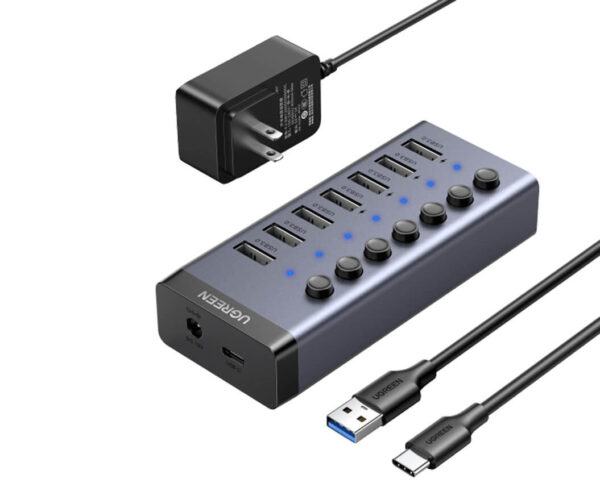
UGREEN 7-Port Powered USB 3.0 Hub – CM481
SKU 90305 Compatible Phone Models IPhone 14, 14 Plus, 14 Pro Max, 14 Pro,IPhone 13 Pro Max, iPhone 12 11 Pro Max, iPhone 12 Mini, iPhone XS XR X, Samsung Galaxy S22 Ultra, S22+, Galaxy Note20 Ultra,IPhone 13 Pro Max, iPhone 12 11 Pro Max, iPhone 12 Mini, iPhone XS XR X, Samsung Galaxy S22 Ultra, S22+, Galaxy Note20 Ultra, See more Compatible Devices Smartphones Recommended Uses For Product Tabletop, travel Special Feature Portable, Cut-out for cable, Foldable, Covered with silicone pads, Adjustable Product Dimensions 5.04 x 3.35 x 1.57 inches Item Weight 8.1 ounces SKU: n/a -
Ugreen Accessories
UGREEN PowerRoam Portable Power Station 600W UK – GS600
Sku 15051A Capacity 680Wh, 30.4Ah, 22.4V (212800mAh 3.2V) Total Output Power 965W Max AC Output (×2) 230V~, 50Hz, 2.6A, 600W Max USB-A Output (×2) Single Port: 5V=3A, 9V=2A, 12V=1.5A, 5V=4.5A
Dual Port: 45W MaxUSB-C Output (×2) Single Port: 5V=3A, 9V=3A, 12V=3A, 15V=3A, 20V=5A
Dual Port: 200W MaxCar Charger Port Output (×1) 12V=10A, 120W SKU: n/a


There are no reviews yet.