
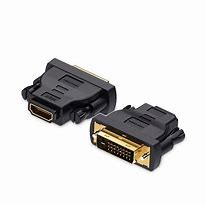

Vention HDMI Female to DVI (24+1) Male Adapter Black (AILB0)
The Vention AILB0 is an HDMI female to DVI(24+1) male adapter that connects HDMI cables to DVI-equipped displays and devices. This compact adapter enables students to use standard HDMI cables with older DVI monitors in computer labs and study spaces, while business professionals can connect modern HDMI cables to legacy DVI displays in offices and meeting rooms. The DVI-D (24+1) single-link configuration supports digital video transmission for reliable display connectivity.
Key Features & Benefits
- HDMI Cable to DVI Display: Allows standard HDMI cables to connect to DVI-equipped monitors and projectors, extending the usability of existing cable infrastructure with legacy display equipment.
- DVI-D (24+1) Single-Link: Features 24+1 pin configuration for digital-only DVI transmission, ensuring compatibility with most DVI-D and DVI-I equipped displays and graphics cards.
- Space-Saving Design: Compact adapter form factor adds minimal bulk to connections, keeping cable runs tidy and professional in workspace environments and presentation setups.
- Bi-Directional Capability: Works in both directions – HDMI cable to DVI display, or DVI cable to HDMI display, offering versatile connectivity for mixed equipment scenarios.
- Gold-Plated Contacts: Provides corrosion-resistant connections that maintain signal integrity through repeated use in educational and professional environments.
Technical Specifications
Physical Characteristics
- Input Connector: HDMI Type-A Female (19-pin)
- Output Connector: DVI-D Male (24+1 pin, single-link)
- Form Factor: Compact adapter/dongle
- Housing Material: ABS plastic construction
- Color: Black
- Weight: Lightweight (approximately 20-30g)
- Dimensions: Compact profile for minimal cable strain
Pin Configuration
- DVI Type: DVI-D (Digital only)
- Pin Layout: 24+1 configuration (single-link)
- Digital Pins: 24 pins for digital video signal
- Additional Pin: 1 pin for grounding/detection
- Link Type: Single-link DVI (not dual-link)
Video Performance
- Maximum Resolution: 1920×1200 @ 60Hz (WUXGA)
- Standard Resolution: 1920×1080 @ 60Hz (Full HD 1080p)
- Supported Resolutions: 1680×1050, 1600×1200, 1280×1024, 1024×768
- Signal Type: Digital video transmission (DVI-D)
- Color Depth: 24-bit true color support
- Refresh Rates: 60Hz standard
Signal Compatibility
- HDMI to DVI: Digital video signal pass-through (passive)
- DVI to HDMI: Reverse direction supported
- Signal Type: TMDS (Transition Minimized Differential Signaling)
- Bandwidth: Single-link DVI bandwidth (3.96 Gbps)
- Protocol: Digital visual interface compatible with HDMI
Connector Features
- Contact Plating: Gold-plated pins for optimal conductivity
- DVI Screws: Integrated thumbscrews for secure display connection
- HDMI Socket: Standard Type-A female port
- Build Quality: Molded construction for durability
- Shielding: EMI/RFI protection
Compatibility
- HDMI Cables: Standard HDMI cables (male connectors)
- DVI Displays: Computer monitors with DVI-D or DVI-I input
- DVI Sources: Graphics cards, computers with DVI-D or DVI-I output
- Operating Systems: Hardware-level compatibility (Windows, macOS, Linux)
- Bi-Directional: Works HDMI-cable-to-DVI-display or DVI-cable-to-HDMI-display
Important Limitations
- Audio: Does NOT carry audio (DVI does not support audio transmission)
- Separate Audio: Requires 3.5mm audio cable for sound
- Single-Link Only: Does not support resolutions requiring dual-link DVI (above 1920×1200)
- HDCP: Basic HDCP support (copy protection may vary by implementation)
- Digital Only: DVI-D configuration – no analog signal support
Cable Requirements
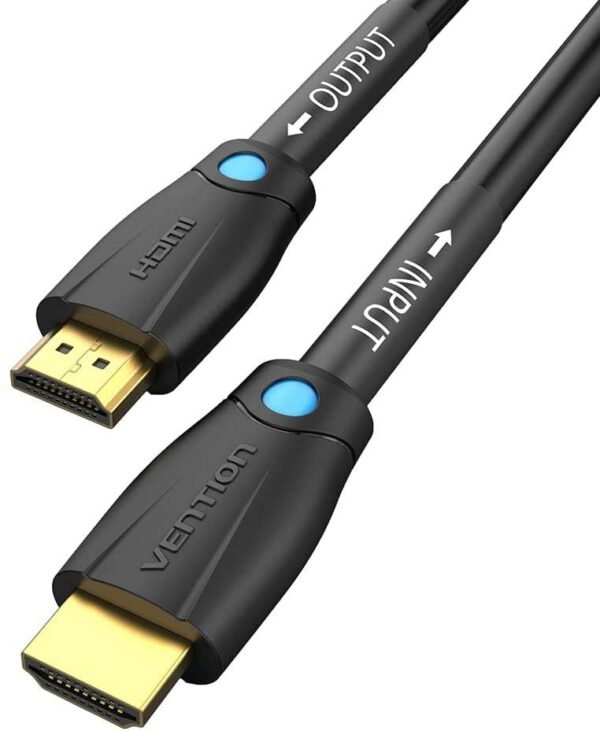
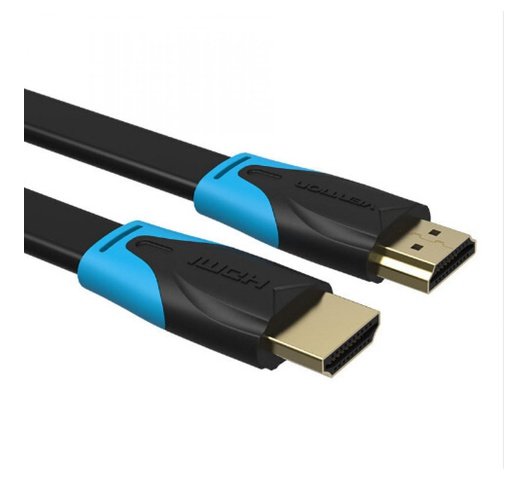
- HDMI Cable: Standard HDMI cable needed (sold separately)
- DVI Cable: For reverse direction use (sold separately)
- Audio Cable: 3.5mm cable required for audio (not included)
Use Cases & Applications
For Students The Vention AILB0 adapter allows students to connect standard HDMI cables from laptops and media devices to older DVI monitors in university computer labs and study rooms. Students living in dorm rooms can use existing HDMI cables with older DVI monitors acquired second-hand or from campus surplus sales, avoiding additional cable purchases. The compact adapter travels easily in laptop bags for presentations in various campus facilities where DVI projectors and displays remain in service. Computer engineering students working with mixed-generation hardware use the adapter to connect modern HDMI equipment to legacy DVI displays during lab projects and testing scenarios.
For Business Use Business professionals use the adapter to connect HDMI cables from laptops to existing DVI monitors in offices during equipment transition periods, maximizing return on functional display investments. IT departments deploy adapters to extend the operational life of DVI monitor inventory while standardizing on HDMI cable infrastructure for flexibility. Conference rooms with older DVI projectors accommodate modern HDMI-cabled laptops from presenters without requiring projector upgrades or specialized cables. Small businesses leverage existing HDMI cable stock when connecting to legacy DVI displays throughout office environments. Corporate training facilities use the adapter to ensure compatibility between various presenter equipment and installed DVI display systems.
For Business Use (continued) Remote workers carry compact adapters when visiting client offices or coworking spaces with DVI-equipped displays, ensuring connectivity with their standard HDMI cables. Graphic design studios connect HDMI-cabled workstations to color-accurate DVI monitors that still provide excellent performance for professional work.
Additional Applications Home office workers use the adapter to connect HDMI cables from laptops and desktops to older but functional DVI monitors, avoiding monitor replacement costs during home workspace setup. Gamers connect modern gaming consoles and PCs using HDMI cables to older DVI gaming monitors that still offer excellent response times and refresh rates. Content creators use the adapter to connect HDMI-cabled cameras and capture devices to DVI monitors for real-time preview during production workflows. Reverse direction use allows connecting older desktop computers with DVI graphics cards to modern HDMI-equipped monitors and TVs using existing DVI cables with the adapter. Digital signage installations use the adapter to connect HDMI-cabled media players to existing DVI commercial displays during gradual system upgrades. Educational institutions equip media carts with adapters to support various HDMI cable connections to classroom DVI display equipment. Security monitoring setups connect HDMI-cabled computers to older DVI monitoring displays in control rooms using the compact adapter solution. Industrial facilities connect modern HDMI-equipped control computers to legacy DVI operator displays without replacing functional equipment. Libraries and public computing spaces provide adapters for patrons connecting personal HDMI-cabled devices to public DVI monitors. Photography studios connect HDMI-cabled cameras to older DVI displays for tethered shooting sessions and client image review. Music production studios connect HDMI-cabled laptops to existing DVI studio displays for DAW interfaces and plugin controls. The adapter proves particularly valuable in environments transitioning from DVI to HDMI infrastructure, where standardizing on HDMI cables while maintaining DVI display compatibility reduces cable inventory complexity. Computer repair shops use the adapter for testing equipment across mixed HDMI and DVI configurations. Retail back-office environments connect HDMI-cabled computers to existing DVI displays for inventory management and point-of-sale systems. The single-link DVI limitation means the adapter works best for standard Full HD (1920×1080) applications rather than higher resolutions requiring dual-link DVI support. The lack of audio transmission requires users to plan for separate audio connections when sound is necessary, making the adapter ideal for computer monitor applications where external speakers or headphones handle audio, but less suitable for TV or projector connections expecting integrated audio through the display cable.


Reviews
There are no reviews yet.