
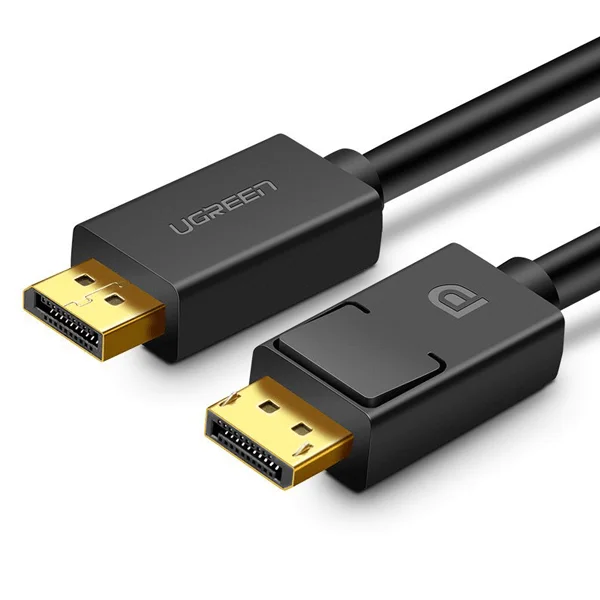
UGREEN DP Male to Male Cable 1.5m (Black)
Key Features;
- The adapter supports the simultaneous transmission of video in 4K @30Hz Resolution and Audio
- A one-way cable that allows you to transfer image and sound from a device with DisplayPort to a device with an HDMI port
- The adapter works in Plug & Play mode, no additional drivers are needed for it
- UGREEN DP to HDMI cable connects monitor, HDTV and projector with laptop or pc
KSh1,450.00 KSh1,800.00 EX-VAT
UGREEN DP Male to Male Cable 1.5m (Black)
The UGREEN DisplayPort cable connects computers directly to DisplayPort monitors, delivering high-resolution video and audio through a single cable. This 1.5-meter cable supports resolutions up to 4K@60Hz and advanced features like multi-stream transport for daisy-chaining displays. Students can connect gaming PCs to high-refresh-rate monitors for smooth gameplay, while business professionals gain reliable connectivity for multi-monitor workstations and color-critical work.
Key Features & Benefits
- 4K@60Hz High Resolution Support: Delivers Ultra HD video at smooth 60Hz refresh rates, eliminating the motion blur and choppiness of 30Hz displays during scrolling, gaming, and video playback.
- DisplayPort 1.2 Standard: Supports bandwidth up to 21.6 Gbps, enabling advanced features like multi-stream transport for daisy-chaining monitors and high dynamic range (HDR) content playback.
- 1.5-Meter Length: Provides 4.9 feet of reach for typical desktop configurations, connecting towers under desks to monitors on top without excess cable or tension at connection points.
- Locking Connector Design: Mechanical latches secure the connection at both ends, preventing accidental disconnection during cable management or desk adjustments that would interrupt your work.
- Triple-Shielded Construction: Multiple shielding layers block electromagnetic interference from power cables and electronics, maintaining signal integrity for flicker-free, artifact-free video even in electrically noisy environments.
Technical Specifications
Video Performance
- DisplayPort Version: 1.2
- Maximum Bandwidth: 21.6 Gbps
- Maximum Resolution: 4K@60Hz (3840×2160)
- Supported Resolutions:
- 4K (3840×2160) at 60Hz
- 2K (2560×1440) at 144Hz
- 1080p (1920×1080) at 240Hz
- 1080p at 144Hz
- 720p, other standard resolutions
- Color Depth: 8-bit, 10-bit, 12-bit per channel
- HDR Support: Yes (HDR10)
Audio Specifications
- Audio Channels: Up to 8 channels
- Audio Formats: LPCM, Dolby TrueHD, DTS-HD Master Audio
- Sample Rates: Up to 192 kHz
Advanced Features
- Multi-Stream Transport (MST): Daisy-chain up to 4 displays
- Adaptive-Sync: Compatible with FreeSync and G-SYNC displays
- HDCP Support: HDCP 2.2 and HDCP 1.4
- Audio Return Channel: Bidirectional audio support
Physical Design
- Length: 1.5 meters (4.9 feet)
- Cable Diameter: 7mm
- Connectors: DisplayPort male (20-pin) on both ends
- Locking Mechanism: Spring-loaded latches on both connectors
- Contact Material: Gold-plated pins (corrosion resistant)
- Weight: 85g (3 oz)
- Color: Black
Construction Quality
- Conductor: Oxygen-free copper (OFC) cores
- Wire Gauge: 28AWG
- Shielding: Triple-layer (aluminum foil + braided + aluminum mylar)
- Jacket Material: PVC outer sheath
- Strain Relief: Molded connector boots with reinforcement
Compatibility
- Source Devices: Desktop PCs, workstations, laptops with DisplayPort output, graphics cards (NVIDIA, AMD, Intel)
- Display Devices: DisplayPort monitors, 4K displays, gaming monitors, professional color displays
- Operating Systems: Windows, macOS, Linux (no drivers required)
- Graphics Cards: Compatible with all DisplayPort-equipped GPUs
Use Cases & Applications
For Students
Connect gaming PCs to high-refresh-rate monitors for competitive gaming advantages. The cable supports 1080p@144Hz and 2K@144Hz, delivering the smooth motion required for fast-paced games where frame rates impact performance.
Set up dual-monitor study configurations using DisplayPort monitors. Run your primary gaming or design work on one screen while keeping research materials, chat applications, or streaming content on a secondary display connected through your GPU’s second DisplayPort.
Build budget-friendly editing workstations using DisplayPort monitors that offer better color accuracy than similarly-priced HDMI displays. Photography and video students benefit from DisplayPort’s higher bandwidth for professional-grade color reproduction.
For Business Professionals
Create reliable multi-monitor workstations for productivity. DisplayPort’s superior bandwidth handles multiple high-resolution displays without the limitations of older connection standards, making it ideal for financial analysts, developers, and designers working with complex data.
Connect to professional-grade displays for color-critical work. Graphic designers, photographers, and video editors rely on DisplayPort’s higher color depth support (10-bit and 12-bit) for accurate color grading and precise editing work.
Set up presentation systems in conference rooms using DisplayPort-equipped displays. The locking connectors prevent embarrassing disconnections during important presentations caused by someone bumping into cables.
For Gaming Setups
Unlock your gaming monitor’s full potential with native DisplayPort connection. Many gaming monitors advertise 144Hz or 240Hz refresh rates that require DisplayPort—HDMI connections may limit you to 60Hz or require reduced resolution.
Enable adaptive sync technologies like G-SYNC or FreeSync that synchronize your GPU’s frame output with your monitor’s refresh rate. These features eliminate screen tearing and stuttering but typically require DisplayPort connections for full functionality.
Connect multiple monitors in immersive gaming setups. DisplayPort’s bandwidth handles high-resolution, high-refresh-rate panels simultaneously, supporting triple-monitor racing or flight simulation configurations.
For Content Creators
Edit video on 4K@60Hz displays without the choppy playback experienced at 30Hz. Smooth timeline scrubbing and real-time previews improve editing efficiency when working with high-resolution footage.
Daisy-chain compatible monitors using Multi-Stream Transport for streamlined cable management. Connect your first DisplayPort monitor to your computer, then connect additional displays to each other in sequence, reducing cable clutter from your GPU.
Work with HDR content on compatible displays for accurate brightness and contrast representation. DisplayPort 1.2’s HDR support ensures what you see during editing matches what viewers experience on HDR-capable devices.
For Multi-Monitor Workstations
Build three or four monitor setups for trading, data analysis, or software development. DisplayPort’s MST feature allows multiple displays through fewer GPU connections, and the higher bandwidth prevents performance degradation across screens.
Connect portrait-oriented monitors for coding and document work alongside landscape monitors for design or general use. DisplayPort handles mixed orientations and resolutions more reliably than connecting multiple displays through different connection types.
For Professional Applications
Connect CAD workstations to large-format displays for detailed technical drawing review. Engineers and architects benefit from DisplayPort’s ability to maintain sharp image quality at high resolutions across larger screen sizes.
Set up medical imaging displays requiring precise color accuracy and high resolution. Healthcare professionals reviewing diagnostic images need DisplayPort’s color depth and bandwidth for accurate visualization.
For Home Office Productivity
Upgrade from aging HDMI or DVI connections to modern DisplayPort for noticeably sharper text rendering. The increased bandwidth and better signal transmission make reading documents and spreadsheets more comfortable during long work sessions.
Future-proof your workspace as monitors continue improving. DisplayPort connections accommodate resolution and refresh rate improvements better than older standards, extending the useful life of both your computer and display investments.
Technical Considerations
DisplayPort 1.2 provides 21.6 Gbps bandwidth, which comfortably supports 4K@60Hz. However, achieving specific resolution and refresh rate combinations depends on your GPU and monitor both supporting those specifications. Check both device specifications if you need specific capabilities like 1080p@240Hz or 2K@144Hz.
The locking connectors require pressing the release button when disconnecting. Don’t pull on the cable without releasing the latch first—this can damage the connector’s locking mechanism or your device’s DisplayPort socket. Press the small button on top of the connector while gently pulling straight out.
Some graphics cards include both DisplayPort 1.2 and 1.4 outputs. This cable works with both versions but operates at DisplayPort 1.2 specifications. If you need DisplayPort 1.4 features like 4K@120Hz or 8K support, ensure your cable explicitly states DP 1.4 compatibility.
The 1.5-meter length represents the sweet spot for desktop use—long enough for under-desk towers connected to desktop monitors, yet short enough to maintain signal integrity without active amplification. DisplayPort signals can travel further than HDMI before degradation, with passive cables working reliably up to about 2 meters at 4K@60Hz.
Multi-Stream Transport (MST) for daisy-chaining monitors requires displays with both DisplayPort input and output ports. Not all monitors support MST—check your display specifications before planning daisy-chained configurations. Your GPU must also support MST, which most modern cards do through DisplayPort 1.2 or newer.
Adaptive sync technologies (G-SYNC, FreeSync) work through DisplayPort connections and synchronize your monitor’s refresh rate with your GPU’s frame output. This eliminates screen tearing without the performance penalty of V-Sync. Both your monitor and GPU must support adaptive sync, and you’ll need to enable it in your graphics driver settings.
Color Depth and Professional Work: DisplayPort’s support for 10-bit and 12-bit color (billions of colors vs. millions) matters primarily for professional color grading and photography. Most content uses 8-bit color, so this feature benefits specific professional workflows rather than general use.
Audio Transmission: DisplayPort carries audio alongside video, but your monitor needs built-in speakers or audio output to use this feature. If you’re connecting to a monitor without audio capabilities, the audio channel simply goes unused without causing any issues.
Cable Length Considerations: At 1.5 meters, this cable maintains full DisplayPort 1.2 performance without signal boosters. Longer cables may require active amplification for 4K@60Hz. If you need greater distance, look for active DisplayPort cables rated for your specific resolution and refresh rate needs.
Important Notes: Gold-plated connectors resist corrosion and maintain signal quality over time, but avoid repeated connecting and disconnecting when possible—the spring-loaded latches have mechanical lifespans. If your monitor doesn’t detect a signal, verify both ends are fully seated with the latches engaged, check that your monitor’s input is set to the correct DisplayPort (monitors often have multiple DisplayPort inputs labeled DP1, DP2, etc.), and confirm your graphics drivers are current. Some laptops with DisplayPort require specific power states to output video—check your power settings if the display doesn’t detect a signal when the laptop enters sleep mode. The cable supports bidirectional communication, so features like monitor brightness control through your keyboard work when both your GPU and monitor support DDC/CI (Display Data Channel Command Interface). Cable orientation doesn’t matter—either end can connect to either device. Store the cable loosely coiled rather than tightly wound to maintain the shielding layers’ integrity. Avoid running the cable parallel to AC power cables for long distances—cross power cables at right angles when unavoidable to minimize electromagnetic interference.
Based on 0 reviews
Be the first to review “UGREEN DP Male to Male Cable 1.5m (Black)”
Related products
-
-
Ugreen Accessories, Ugreen USB
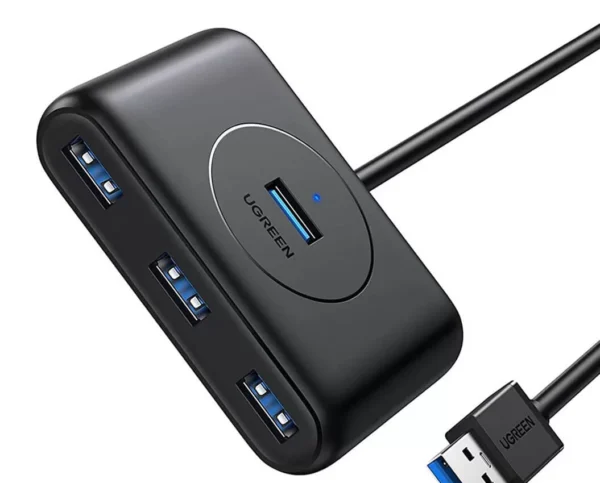
UGREEN USB 3.0 Hub (3 USB 3.0) with Gigabit Ethernet Adapter
Brand UGREEN Connectivity Technology USB, Ethernet Compatible Devices USB Flash Drives, PC, Mouse, Keyboards, Laptops Included Components Cable Input Voltage 240 Volts Total USB Ports 3 Wattage 36 watts Power Source Corded Electric Current Rating 2 Amps SKU: n/a -
-
Ugreen Accessories
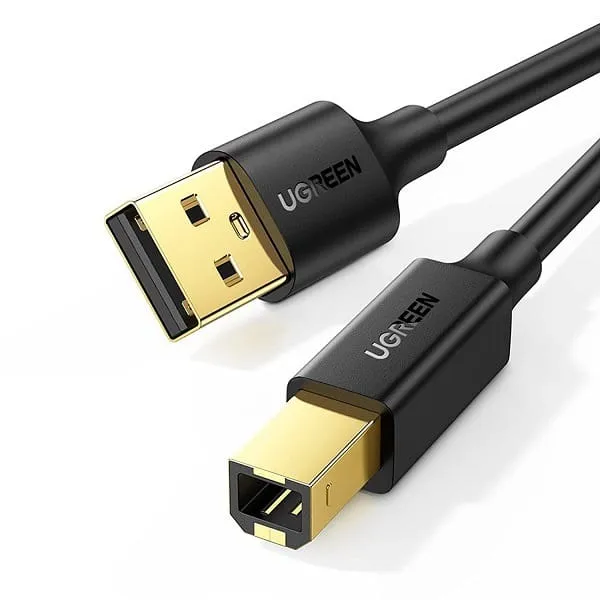
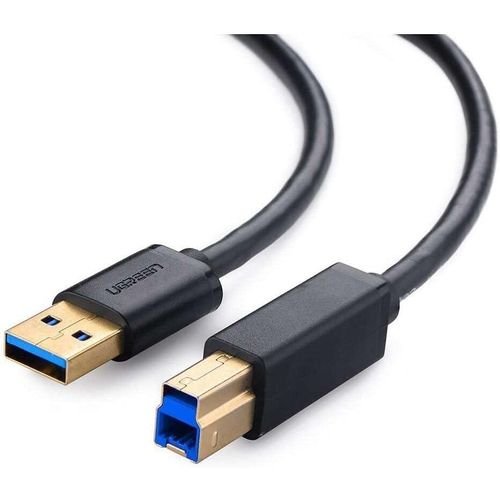
UGREEN USB 3.0 AM to BM Print Cable 2m Black – US210
Features:
-Wide compatibility
-Multi-layer shielding
-Nickle-plated connectors
-Plug and play, easy installation
-Data transfer speed up to 5GbpsSpecifications:
-Model No: US210-10372
-Connector A: USB-A 3.0 Male
-Connector B: USB-B 3.0 Male
-Transmission Rate: USB3.0: 5Gbps-Weight: 102g
-Dimensions: (L)23 x (W)17 x (H)1cmWhat’s in the box:
-1x UGreen 10372 USB-A to USB-B 3.0 Printer 2m CableSKU: n/a


There are no reviews yet.