
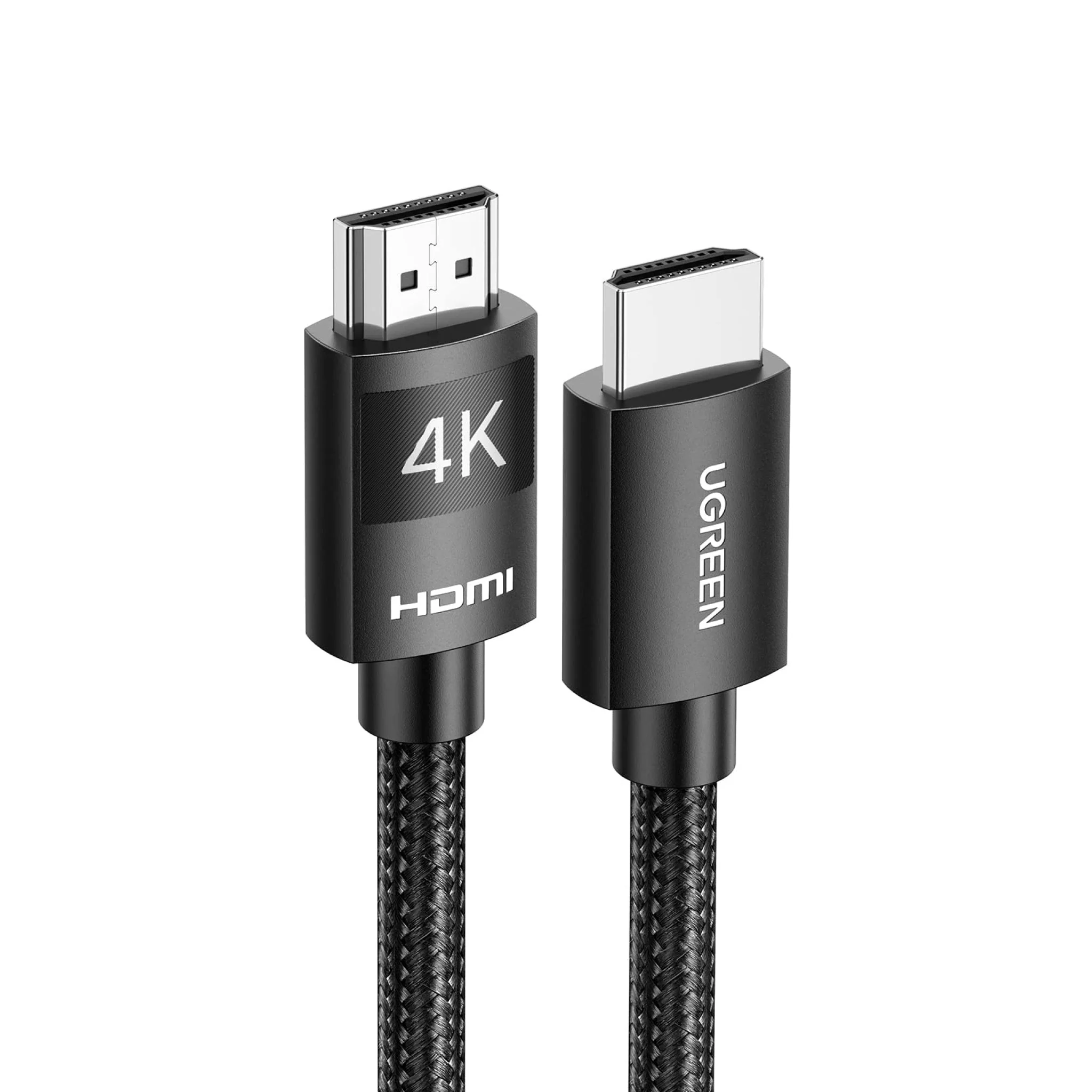
UGREEN 5m HDMI 4K Cable Male to Male Braided – HD119
Features:
- -Multiple shielding
- -Mirror and Extended mode supported
- -4K resolution support
- -Wide compatibility
Specifications:
- -HDMI Version: 2.0
- -Resolution Support: 4K@60Hz
- -Mode Support: Mirror/Extend
- -Total Bandwidth: 18Gbps
- -Wire Core: Tin-plated core
- -Shielding: Aluminium + Braid
- -Shell: PVC + Nylon Braid
- -Material: PVC
- -Cable length: 5m
KSh1,900.00 KSh2,100.00 EX-VAT
UGREEN 5m HDMI 4K Cable Male to Male Braided – HD119
The UGREEN HD119 is a 5-meter braided HDMI cable that delivers 4K video and audio through a single connection. This 16.4-foot cable provides the reach needed to connect devices across rooms without image quality loss or signal degradation. Students can position gaming consoles and laptops away from wall-mounted TVs for comfortable viewing angles, while business professionals gain the flexibility to set up projectors and displays at proper distances during presentations.
Key Features & Benefits
- 4K Ultra HD Resolution Support: Transmits 4K video at 60Hz with HDR for sharp, vibrant images on compatible displays, future-proofing your setup as you upgrade to higher-resolution monitors and TVs.
- 5-Meter Extended Reach: Bridges 16.4 feet between devices without requiring extension cables or signal boosters, enabling flexible room layouts where entertainment centers sit far from seating areas or projectors mount on opposite walls.
- Durable Braided Construction: Nylon braided jacket resists tangling, fraying, and pet damage better than rubber cables, maintaining reliable performance through years of use in high-traffic areas where cables face frequent movement.
- Gold-Plated Connectors: Corrosion-resistant contacts ensure stable signal transmission and maintain connection quality through hundreds of plug/unplug cycles during equipment changes and troubleshooting.
- 18Gbps High-Speed Bandwidth: Handles the data requirements for 4K@60Hz video with full-color depth and multi-channel audio formats including Dolby Atmos and DTS:X, delivering complete home theater experiences.
Technical Specifications
Video Performance
- Maximum Resolution: 4K@60Hz (3840×2160)
- Supported Resolutions: 4K@30Hz, 2K, 1080p@120Hz, 1080p@60Hz, 1080i, 720p
- HDR Support: HDR10, Dolby Vision, HLG (Hybrid Log-Gamma)
- Color Depth: 8-bit, 10-bit, 12-bit
- Chroma Subsampling: 4:4:4, 4:2:2, 4:2:0
Audio Capabilities
- Audio Return Channel: ARC (Audio Return Channel)
- Audio Formats: LPCM, Dolby TrueHD, Dolby Atmos, DTS-HD Master Audio, DTS:X
- Channels: Up to 32 audio channels
Technical Standards
- HDMI Version: HDMI 2.0
- Bandwidth: 18 Gbps
- Cable Category: High Speed HDMI
- HDCP: HDCP 2.2 (High-bandwidth Digital Content Protection)
Physical Design
- Length: 5 meters (16.4 feet)
- Cable Diameter: 7.3mm
- Connectors: HDMI Type A male (standard) on both ends
- Connector Material: Gold-plated contacts with zinc alloy housing
- Cable Jacket: Nylon braided exterior over aluminum foil shielding
- Weight: 285g (10 oz)
- Color: Black with red accent stripes
Construction Features
- Conductor: Oxygen-free copper (OFC) core
- Shielding: Triple-layer (aluminum foil + braided + aluminum mylar)
- Strain Relief: Reinforced connectors with flexible PVC boots
- Bend Radius: Minimum 5cm for longevity
Compatibility
- Source Devices: PS5, PS4, Xbox Series X/S, Xbox One, Nintendo Switch, Roku, Apple TV, Fire TV, Blu-ray players, laptops, desktops, cameras
- Display Devices: 4K TVs, monitors, projectors, computer displays
- All devices with standard HDMI ports (Type A)
Use Cases & Applications
For Students
Create comfortable dorm room entertainment setups by positioning your gaming console near your desk while connecting to a TV mounted across the room. The 5-meter length accommodates typical dorm layouts without unsightly cable runs across walking paths or under furniture.
Connect your laptop to a larger display for group study sessions and project collaborations. Present research findings or work on design projects together on a shared screen while maintaining comfortable seating distance from the display.
Set up dual-purpose spaces where your TV serves both entertainment and study needs. Keep your gaming system by your entertainment area while running the cable to a monitor on your study desk, switching between leisure and productivity without rearranging furniture.
For Business Professionals
Install conference room projectors at proper ceiling-mount distances from presentation laptops. The 5-meter cable reaches from conference tables to ceiling-mounted projectors in small to medium meeting rooms without visible cable strain or requiring mid-span connectors that introduce potential failure points.
Connect laptops to displays during client presentations where seating arrangements require separation between the presenter and screen. Position yourself facing your audience while your laptop sits comfortably on the presentation table, maintaining eye contact and engagement.
Set up permanent home office dual-monitor configurations where your desktop tower sits under your desk while monitors sit on top. Route the cable cleanly along desk legs and through cable management systems without stretching or damaging the connection.
For Home Entertainment
Position AV receivers and media centers inside cabinets or entertainment units while connecting to wall-mounted TVs above. The cable length accommodates standard furniture heights plus vertical runs to displays mounted at comfortable viewing levels.
Connect gaming consoles stored in media cabinets to TVs without visible cable runs across living room floors. Route the braided cable behind furniture or along baseboards where its flexible construction follows room contours without kinking.
Link streaming devices like Apple TV or Roku positioned near routers for optimal Wi-Fi to TVs in different room areas. The extended reach lets you place streaming boxes where they receive the strongest signals rather than being constrained to TV proximity.
For Gaming Setups
Connect next-generation consoles like PS5 and Xbox Series X to 4K gaming monitors positioned across desks or rooms. The cable’s 18Gbps bandwidth fully supports 4K@60Hz gaming with HDR, delivering the visual quality these systems provide without compromise.
Set up racing or flight simulation rigs where displays mount at angles or distances that standard 1-2 meter cables can’t reach. Position your seat, pedals, and wheel at ergonomic distances from large displays for immersive gaming experiences.
For Home Theater Systems
Run HDMI connections from AV receivers to projectors mounted 4-5 meters away in dedicated home theaters. The cable handles full 4K HDR video and high-resolution audio formats like Dolby Atmos, delivering complete surround sound experiences.
Connect multiple source devices through HDMI switches to displays without running individual cables from each device. Centralize your media equipment in one location and run a single high-quality cable to your display.
For Content Creation
Link cameras with HDMI output to external monitors or capture devices for live streaming and video production. Monitor your shots in real-time on larger displays positioned away from your camera setup, improving composition and focus accuracy.
Connect laptops running editing software to reference monitors positioned at color-accurate viewing distances. Professional video and photo editing benefits from displays calibrated and positioned specifically for color work, which often requires longer cable runs.
Technical Considerations
While HDMI 2.0 supports 4K@60Hz, achieving this resolution requires that all devices in the chain (source, cable, and display) support HDMI 2.0 or higher. If any component only supports HDMI 1.4, maximum resolution drops to 4K@30Hz. Check your device specifications to understand your setup’s capabilities.
The 5-meter length approaches the practical limit for passive HDMI cables at 4K resolution. Beyond 5-7 meters, signal degradation becomes likely without active amplification or fiber optic cables. If you need longer runs, consider active HDMI cables or HDMI over Ethernet solutions.
The triple-layer shielding protects against electromagnetic interference from nearby power cables, Wi-Fi routers, and other electronic devices. However, avoid running the cable parallel to AC power lines for extended distances—cross them at right angles when unavoidable to minimize interference.
HDR (High Dynamic Range) content requires HDCP 2.2 copy protection support across your entire setup. Older TVs or monitors that only support HDCP 1.4 won’t display HDR content even with a compatible cable. Verify your display supports HDCP 2.2 for premium content services like Netflix 4K and Ultra HD Blu-ray.
The braided construction provides excellent durability but creates a slightly stiffer cable compared to rubber alternatives. Allow generous bend radius when routing behind furniture or through cable management—tight 90-degree bends may stress the internal conductors over time.
ARC (Audio Return Channel) lets your TV send audio back to soundbars or AV receivers through the same cable carrying video to the TV. This feature simplifies connections by eliminating separate audio cables, but both your TV and audio device must support ARC for this functionality.
Important Notes: The cable supports both directions equally—either end can connect to source or display devices. Gold-plated connectors should insert smoothly; if resistance is felt, check for bent pins inside the HDMI port and never force connections. For wall installations, secure the cable using clips or conduits to prevent weight stress on the connectors, particularly important with longer cables. The braided exterior resists some abrasion but shouldn’t be routed under carpets or across doorways where repeated compression occurs. When troubleshooting “no signal” issues, try the cable in shorter connections first to rule out device compatibility problems versus cable faults. Some 4K@60Hz content may flicker or drop out if your HDMI ports or devices are set to incorrect HDMI modes—check device settings for “Enhanced” or “UHD Color” options that may need manual enabling for full 4K performance.
Based on 0 reviews
Be the first to review “UGREEN 5m HDMI 4K Cable Male to Male Braided – HD119”
Related products
-
-
-
Ugreen Accessories
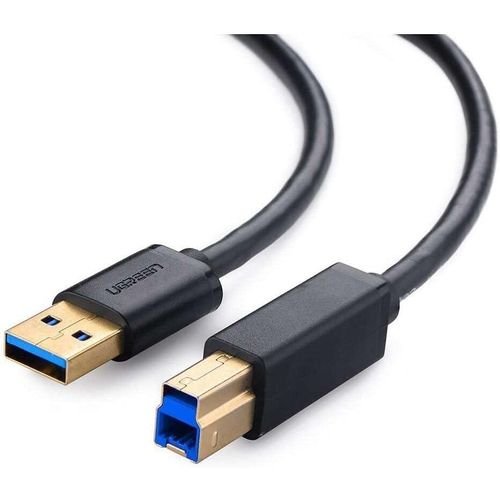
UGREEN USB 3.0 AM to BM Print Cable 2m Black – US210
Features:
-Wide compatibility
-Multi-layer shielding
-Nickle-plated connectors
-Plug and play, easy installation
-Data transfer speed up to 5GbpsSpecifications:
-Model No: US210-10372
-Connector A: USB-A 3.0 Male
-Connector B: USB-B 3.0 Male
-Transmission Rate: USB3.0: 5Gbps-Weight: 102g
-Dimensions: (L)23 x (W)17 x (H)1cmWhat’s in the box:
-1x UGreen 10372 USB-A to USB-B 3.0 Printer 2m CableSKU: n/a -
Ugreen Accessories
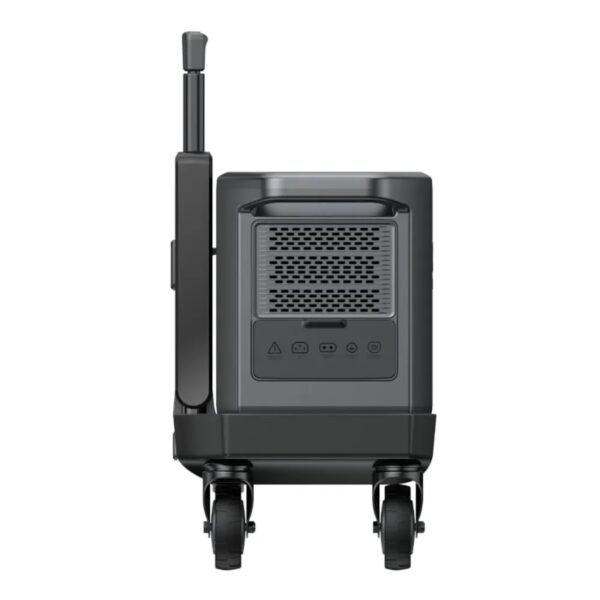
UGREEN PowerRoam Power Station 2048Wh 2300W UK-GS2200
FEATURES:
- 2200Wh Lithium Iron Phosphate (LiFePO4) batteries
- Powers Various Appliances and Devices
- UPS functionality with 20ms switchover
- Features 14 outlets – 4 AC Outlets(2200W Total), 4 USB Type-C Ports(140W, 100w, 2 x 45W), 2 USB Type-A Ports(22.5W Each), 2 Car/DC Outlets(120W Total), Anderson output 300W
- Recharge the battery from 0% to 100% within 1.5 hours
- System Management App proactively monitors and protects the Power Station
- Convenient 4-wheel trolley with adjustable handle
SPECIFICATIONS:
- Capacity: 2048Wh
- Cycle Life (80%): 3000
- Wi-Fi/Bluetooth/App Support: Yes
- Input Ports: AC(1800W) x 1, Solar Charging Port(1200W Max) x 2 (supports Car Charing 12/24V 8A Max)
- Output Ports: AC outlet 2200W x 4, USB Type-C x 1 (140W), USB Type-C x 1 (100W), USB Type-C x 2 (45W), USB-A x 2 (22.5W), Car Charger x 1, Anderson Output (300W) x1, DC5521 x 2
- Power Source: AC Powered (1.5 hours), Solar Powered (2.5 hours), Car Powered (24/12 hours)
- Display: 4.7 inch LCD
- Item Weight: 25000g
- Product Dimensions: 54 x 25 x 29 cm
FEATURED FUNCTIONS:
- Quiet Mode
- Energy-Saving Mode
- Child Safety Lock
- Battery Preservation Mode
ESTIMATED HOURS OF RUNTIME:
- Home Sound System (95W): 17.2 hrs
- 55″ LED TV (140W): 11.7 hrs
- Slow Cooker (250W): 6.6 hrs
- Desktop PC (300W): 5.5 hrs
- Double-Door Fridge (780W): 2.1 hrs
- Microwave (800W): 2.0hrs
- Electric Drill (850W): 1.9 hrs
- Washing Machine (800W): 1.9 hrs
WHAT’S IN THE BOX:
- Ugreen PowerRoam 2200 Portable Power Station x1
- PowerRoam Trolley x1
- AC Charging Cable x1
- Car Charging Cable x1
- Solar Parallel Adapter x1
- Accessory Bag x1
- User Manual x1
SKU: n/a

There are no reviews yet.