
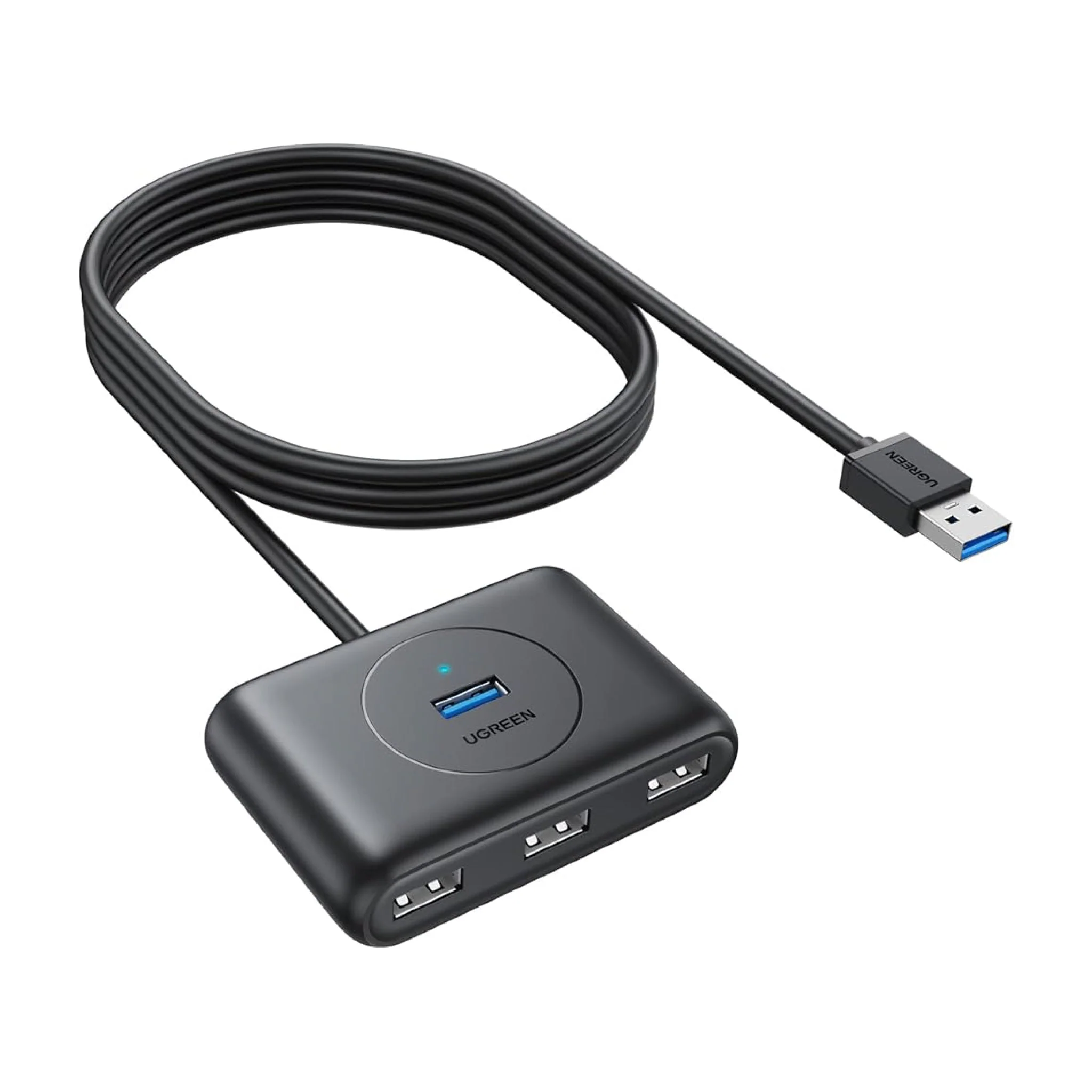
UGREEN USB-C & USB-A 3.0 to 4-Port Hub 1M Black – CR113
UGREEN USB-C & USB-A 3.0 to 4-Port Hub 1M Black – CR113
-
Data Transfer Rate: Up to 5 Gbps
-
Compatibility: Windows 10/8/8.1/7/Vista/XP, macOS, Linux, and Chrome OS
-
Cable Length: 1 meter
-
Dimensions: 2.99 x 2.01 x 0.79 inches
-
Weight: 3.49 ounces
KSh2,100.00 KSh2,200.00 EX-VAT
UGREEN USB-C & USB-A 3.0 to 4-Port Hub 1M Black – CR113
The UGREEN CR113 is a dual-input USB hub that accepts both USB-C and USB-A connections while providing four USB 3.0 Type-A output ports. This 1-meter hub features a black aluminum housing with individual port switches and supports data transfer speeds up to 5Gbps, making it practical for students managing multiple peripherals across different devices and business professionals who need flexible connectivity for both modern USB-C laptops and legacy USB-A computers. The extended cable length allows comfortable desk positioning without cable strain.
Key Features & Benefits
- Dual Input Flexibility: Features both USB-C and USB-A input connectors (use one at a time), which means you can use the same hub with your USB-C MacBook, USB-A desktop computer, and older laptops without purchasing separate hubs for different devices.
- Individual Port Power Switches: Each of the four USB ports has a dedicated on/off switch with LED indicators, so you can selectively power peripherals to conserve energy, eliminate standby power draw from devices, or quickly disconnect USB drives without physically unplugging cables.
- USB 3.0 High-Speed Performance: Delivers data transfer rates up to 5Gbps across all four ports, which means transferring a 10GB file from a flash drive takes approximately 20-30 seconds instead of the 4+ minutes required by older USB 2.0 hubs.
- 1-Meter Extended Cable: Provides 3.28 feet of cable length for flexible hub placement on desks, shelves, or behind monitors without being tethered directly to your computer, reducing port strain and keeping frequently-accessed USB ports within comfortable reach.
- Aluminum Alloy Construction: Durable metal housing dissipates heat during intensive data transfers and withstands daily use in busy work environments, while the compact design occupies minimal desk space when connecting keyboards, mice, flash drives, and other peripherals.
Technical Specifications
Hub Configuration
- Input Connectors: USB-C (Type-C) male + USB-A (Type-A) male (use one at a time)
- Output Ports: 4 × USB 3.0 Type-A female ports
- Cable Length: 1 meter (3.28 feet / 39.4 inches)
- Port Spacing: Adequate spacing for standard USB devices
- Color: Black with blue USB 3.0 indicator accents
Performance Specifications
- Data Transfer Speed: Up to 5Gbps (USB 3.0 SuperSpeed)
- Bandwidth Distribution: 5Gbps shared across all four ports
- Backward Compatibility: USB 2.0 (480Mbps) and USB 1.1 (12Mbps) devices supported
- Hot-Swap Support: Connect/disconnect devices without system restart
Power Specifications
- Power Mode: Bus-powered (draws from host device)
- Power Per Port: Up to 500mA (2.5W) per port
- Total Power Output: Up to 2A (10W) aggregate across all ports
- Individual Switches: Independent on/off control for each port with LED indicators
- Note: Power-hungry devices (external HDDs) may require external power or powered hub
Physical Construction
- Housing Material: Aluminum alloy with anodized finish
- Hub Dimensions: 4.13 × 1.38 × 0.55 inches (105 × 35 × 14mm)
- Total Length: 44.5 inches (113cm) including cable
- Weight: 3.17 oz (90g)
- Cable Type: Braided nylon with reinforced strain relief
Connector Details
- USB-C Connector: Reversible 24-pin male connector
- USB-A Connector: Standard 9-pin male connector
- Output Ports: Standard USB 3.0 female Type-A
- Contact Plating: Gold-plated for corrosion resistance
- Port Color: Blue interior (USB 3.0 standard indicator)
Durability & Protection
- Shielding: EMI/RFI protection against electromagnetic interference
- Over-Current Protection: Built-in surge protection for connected devices
- Heat Dissipation: Aluminum housing acts as passive cooling
- Bend Cycle Rating: 5,000+ cable flexing cycles
- Port Life: 10,000+ insertion cycles per port
System Compatibility
- Operating Systems: Windows 11/10/8/7/Vista/XP, macOS 10.6+, Linux, Chrome OS
- Devices: Laptops, desktops, tablets, Chromebooks, Mac computers
- Driver Requirements: Plug-and-play (no drivers needed)
- USB-C Requirements: Standard USB-C port (video/charging features not required)
Supported Peripherals
- Storage: Flash drives, external SSDs, card readers, USB hard drives (under 500mA)
- Input: Keyboards, mice, game controllers, drawing tablets
- Other: Webcams, USB fans, LED lights, charging cables, USB microphones
Standards & Certifications
- USB-IF Specification: USB 3.0/3.1 Gen 1 compliant
- CE Certified: European safety standards
- FCC Certified: Electromagnetic interference compliance
- RoHS Compliant: Lead-free construction
Environmental Specifications
- Operating Temperature: 0°C to 50°C (32°F to 122°F)
- Storage Temperature: -20°C to 60°C (-4°F to 140°F)
- Humidity: 10% to 90% non-condensing
Use Cases & Applications
For Students: Computer science students can use the CR113 to connect multiple peripherals like keyboards, mice, flash drives, and Arduino boards simultaneously during lab sessions. The dual input design means you can use the same hub whether working on your personal USB-C laptop at home or the older USB-A desktop computers in the campus lab. Design students juggling graphics tablets, external storage, and input devices benefit from the individual port switches that let you power down unused peripherals to extend laptop battery life during mobile work sessions.
For Flexible Work Environments: Professionals who alternate between USB-C laptops for travel and USB-A desktop workstations at the office can deploy the CR113 without purchasing duplicate hubs. Connect your keyboard, mouse, webcam, and USB microphone to the hub, then simply switch between the USB-C and USB-A input cables depending on which computer you’re using. The 1-meter cable allows positioning the hub on your desk surface within easy reach for the physical switches.
For Organized Desk Setups: The individual port switches eliminate the need to physically unplug USB devices when not in use. Turn off external hard drives overnight to prevent wear, disable USB charging cables when devices are full, or power down RGB peripherals that waste standby power. The LED indicators show at a glance which ports are active, making it easy to verify device status without checking individual connections.
For Multi-Device Workflows: IT professionals managing multiple computers can keep peripherals connected to the hub and switch the hub between machines using the appropriate input cable. System administrators troubleshooting different computers can maintain their preferred keyboard and mouse setup by moving only the hub connection rather than reconnecting individual peripherals. The aluminum construction withstands the wear of frequent cable swapping in technical support environments.
For Limited-Port Devices: Users with USB-C tablets, Chromebooks, or ultrabooks featuring only one or two USB ports can expand connectivity for simultaneous use of storage devices, input peripherals, and accessories. The bus-powered design means no additional wall outlets are consumed, though power-hungry devices may require external power sources or powered hubs.
For Classroom Technology: Teachers using different school-provided computers or personal devices can maintain consistent peripheral access by connecting keyboards, document cameras, or flash drives to the hub. The dual input compatibility ensures the hub works regardless of which computer the classroom provides. Individual switches let educators power down specific peripherals during different lesson activities.
For Gaming Setups: Gamers can connect multiple controllers, RGB lighting devices, or gaming peripherals while using the individual switches to manage power draw and reduce USB bandwidth congestion. The extended cable allows positioning the hub near controllers on desks or entertainment centers while the computer stays further away.
The UGREEN CR113 provides versatile USB expansion with practical features for diverse computing environments. However, remember this is a bus-powered hub drawing all power from your computer’s USB port—the 2A total power capacity means you cannot simultaneously run four power-hungry devices like external hard drives without external power supplies. Calculate your devices’ power requirements; typical keyboards (100mA), mice (100mA), and flash drives (200mA) work fine, but multiple external HDDs (each potentially 500mA+) will exceed capacity.
The 5Gbps USB 3.0 bandwidth is shared across all four active ports, so connecting multiple high-speed storage devices and transferring large files simultaneously will result in each device receiving a fraction of the total bandwidth rather than 5Gbps each. For maximum transfer speeds, connect only one high-speed device at a time while using remaining ports for low-bandwidth peripherals like keyboards and mice.
Use only one input connection (USB-C or USB-A) at a time—connecting both inputs simultaneously to different computers will not enable device sharing and may cause unpredictable behavior or damage. The hub does not include KVM (Keyboard-Video-Mouse) switching functionality; it’s designed for single-computer use with flexibility in connection type.
The individual port switches are mechanical rocker switches that physically interrupt power—this differs from software-based power management and provides genuine power disconnection for devices. However, safely eject storage devices through your operating system before toggling switches to prevent data corruption. The switches control power only, not data connections, so toggling rapidly may stress some peripherals.
The aluminum housing effectively dissipates heat during normal operation, but the hub may become warm during sustained high-speed data transfers from multiple devices. This is normal and does not indicate malfunction, though ensure adequate ventilation around the hub when transferring large amounts of data. The extended 1-meter cable provides excellent positioning flexibility, though the fixed cable means damage requires replacing the entire hub rather than just a cable—handle the cable junction points carefully to maximize longevity.
Based on 0 reviews
Be the first to review “UGREEN USB-C & USB-A 3.0 to 4-Port Hub 1M Black – CR113”
Related products
-
-
-
Ugreen Accessories, Ugreen USB
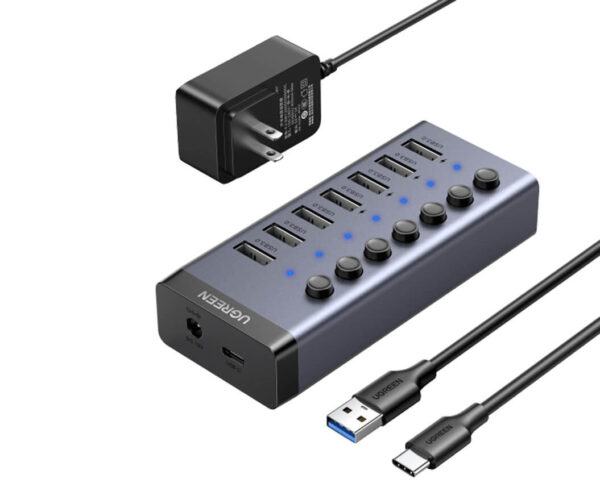
UGREEN 7-Port Powered USB 3.0 Hub – CM481
SKU 90305 Compatible Phone Models IPhone 14, 14 Plus, 14 Pro Max, 14 Pro,IPhone 13 Pro Max, iPhone 12 11 Pro Max, iPhone 12 Mini, iPhone XS XR X, Samsung Galaxy S22 Ultra, S22+, Galaxy Note20 Ultra,IPhone 13 Pro Max, iPhone 12 11 Pro Max, iPhone 12 Mini, iPhone XS XR X, Samsung Galaxy S22 Ultra, S22+, Galaxy Note20 Ultra, See more Compatible Devices Smartphones Recommended Uses For Product Tabletop, travel Special Feature Portable, Cut-out for cable, Foldable, Covered with silicone pads, Adjustable Product Dimensions 5.04 x 3.35 x 1.57 inches Item Weight 8.1 ounces SKU: n/a -
Ugreen Accessories, Ugreen USB
UGREEN 9 in 1 USB-C Multifunction Docking Station-CM 274
Brand UGREEN Colour Black Hardware interface Ethernet, HDMI, USB 3.2 Gen 2 Compatible devices USB Flash Drives, Keyboards, Monitors, Laptops, Card Readers Total USB ports 3 Product dimensions 16.6L x 8W x 2.3H centimetres Number of ports 9 Item weight 510 Grams Total HDMI ports 2 Wattage 100 watts SKU: n/a


There are no reviews yet.